Exposed Admin Panels: Why Hidden Doors Become Break-in Points
Default login pages often sit on standard ports, making them easy targets for automated scans that ignore your main website traffic entirely.
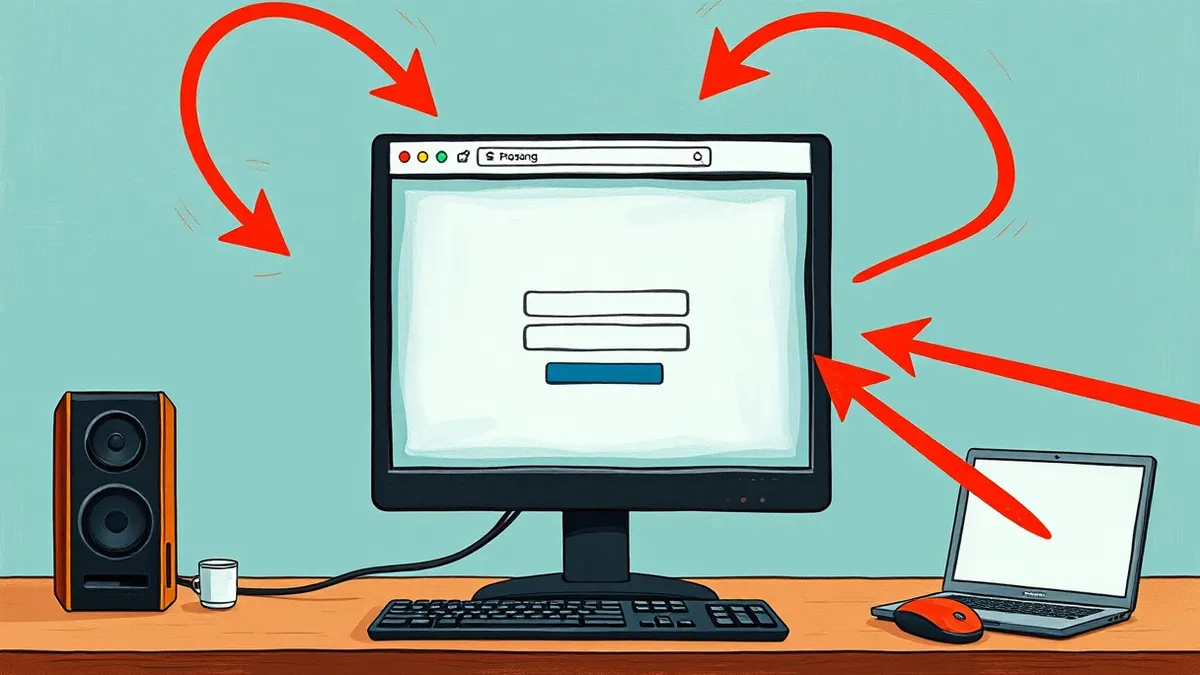
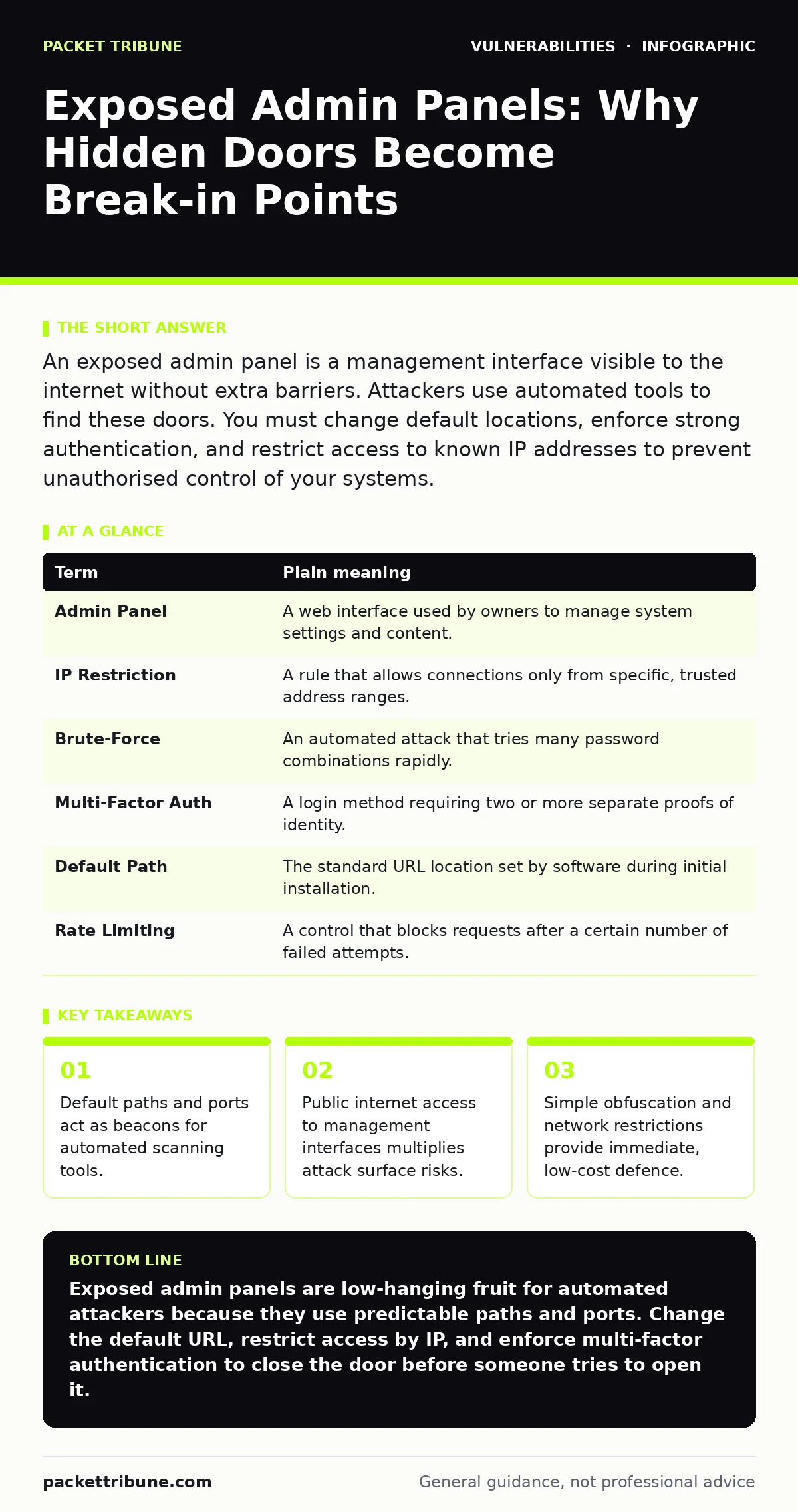
An exposed admin panel is a management interface visible to the internet without extra barriers. Attackers use automated tools to find these doors. You must change default locations, enforce strong authentication, and restrict access to known IP addresses to prevent unauthorised control of your systems.
The Unlocked Store Room
Imagine you own a busy retail shop. The main entrance has glass doors, security guards, and a clear view from the street. This is your public website. Behind the shop, there is a side door leading to the stockroom. This door controls inventory, staff schedules, and cash handling. If you leave this side door unlocked and visible from the alley, thieves do not need to pick the main lock. They simply walk in the back. In cybersecurity, your website is the shop front. The administrative panel is that back door. When this panel is "exposed," it means anyone with an internet connection can see it and attempt to enter.
Most web applications separate public content from management functions. The public section displays products or articles. The admin section allows owners to change text, update prices, or manage users. By design, these areas require different levels of trust. If the management area is accessible without restriction, you have created a direct path for an attacker to modify your data or take control of your server. This is distinct from API vulnerabilities, where the underlying data exchange mechanisms are flawed. Here, the interface itself is visible and reachable.
Why Scanners Find Your Door
Attackers rarely look for back doors manually. They use automated software that scans entire ranges of IP addresses. These tools look for specific patterns. They check for common default paths like /admin, /login, or /wp-admin. They also check for standard ports used by management interfaces. If your system uses well-known defaults, it signals its presence to every scanner on the internet. This is similar to leaving a sign on your side door that says "Stock Room Entrance."
This visibility creates a constant pressure on your security. Even if your main website is secure, the admin panel remains a target. The risk is not just that someone guesses your password. It is that the system allows them to try thousands of passwords in seconds. This is known as a brute-force attack. Without rate limiting or IP restrictions, the sheer volume of attempts will eventually succeed if your credentials are weak. You must understand that obscurity is not security, but removing obvious beacons reduces the number of attackers who bother to look.
The Hidden Cost of Convenience
Many administrators leave panels exposed for convenience. They want to update content from a coffee shop or while travelling. This habit introduces significant risk. Every time you access the panel from a new location, you expose the interface to the network of that location. Public Wi-Fi networks are often untrusted. If an attacker shares your network, they may intercept your traffic. If your connection is not encrypted, they can capture your login details.
Furthermore, exposed panels often run with higher privileges than public pages. This means a single compromised account can alter system configurations, install malicious code, or delete data. The damage is not limited to content changes. An attacker could turn your server into part of a botnet or use it to host illegal material. This amplifies the impact of a simple login breach. You trade immediate convenience for long-term systemic risk.
Simple Safety Habits
You can reduce the risk of exposure without complex engineering. First, change the default location of your admin panel. Most systems allow you to rename the login URL. If you change /admin to a unique, unpredictable string, automated scanners will not find it easily. This is called security through obscurity. It does not stop a determined attacker who knows your system, but it filters out the majority of automated noise.
Second, restrict access by IP address. If you only manage the system from your office or home, configure the firewall to allow connections only from those specific IP ranges. This ensures that even if someone knows the URL, they cannot reach it from elsewhere. This is the digital equivalent of installing a keypad on the side door that only works for codes you have issued.
Third, enforce multi-factor authentication. This requires a second proof of identity, such as a code from a mobile app, in addition to your password. If an attacker guesses your password, they still cannot log in without the second factor. This adds a layer of protection that is independent of password strength.
Understanding the Mechanics
To manage these risks effectively, you must understand the underlying terms. The following table clarifies key concepts related to exposed interfaces and access control.
| Term | Plain meaning |
|---|---|
| Admin Panel | A web interface used by owners to manage system settings and content. |
| IP Restriction | A rule that allows connections only from specific, trusted address ranges. |
| Brute-Force | An automated attack that tries many password combinations rapidly. |
| Multi-Factor Auth | A login method requiring two or more separate proofs of identity. |
| Default Path | The standard URL location set by software during initial installation. |
| Rate Limiting | A control that blocks requests after a certain number of failed attempts. |
Immediate Actions to Take
You can improve your posture today with three simple steps. These actions address the most common points of failure in exposed management interfaces.
- Change the default login URL. Locate the configuration file of your web application and alter the path to the administrative interface. Choose a name that is not a dictionary word. This prevents basic scanners from identifying your entry point.
- Enable IP whitelisting. Identify the static IP addresses you use for management. Configure your server or firewall to deny access to the admin path from any other address. This physically blocks remote attackers.
- Activate multi-factor authentication. Install a standard authenticator app and link it to your admin account. Ensure that the system requires the time-based code for every login, not just the first time.
These steps are low-effort but high-impact. They do not require new software purchases or complex coding. They rely on standard features already present in most modern web applications. Implementing them reduces the likelihood of unauthorised access significantly.
Managing Ongoing Risk
Security is not a one-time setup. You must maintain these controls. When you travel or change internet providers, your IP address may change. You must update your IP restrictions accordingly. If you do not, you will lock yourself out. This is a common operational friction point. Plan for it by having a backup access method, such as a console login that bypasses IP checks.
Regularly review your access logs. Look for failed login attempts from unknown locations. Even if the attacker fails, their presence indicates that your panel is visible. If you see scans, your obscurity measures may be failing. Consider tightening your firewall rules or moving the panel further behind a network barrier. This aligns with broader risk-based vulnerability management practices, where you prioritise fixes based on actual exposure and threat likelihood.
Do not ignore updates. Vulnerabilities in the underlying software can bypass your administrative controls. Keeping your system patched ensures that the code running your admin panel is secure. This is where dependency updates play a critical role. Even if your configuration is perfect, a flaw in the library handling the login can expose you. Stay current with emergency patching when critical flaws are disclosed.
Key takeaways
- Default paths and ports act as beacons for automated scanning tools.
- Public internet access to management interfaces multiplies attack surface risks.
- Simple obfuscation and network restrictions provide immediate, low-cost defence.
Exposed admin panels are low-hanging fruit for automated attackers because they use predictable paths and ports. Change the default URL, restrict access by IP, and enforce multi-factor authentication to close the door before someone tries to open it.
Frequently asked questions
Does changing the admin URL stop hackers?
It stops automated scanners that look for common paths, but it does not stop a human who knows the new URL. Always combine this with strong authentication.
Can I use a VPN to access my admin panel safely?
Yes, a VPN encrypts your traffic and can hide your true IP address. However, you must still ensure the panel itself is secure and not exposed to the public internet.
What if I need to access the panel from multiple locations?
Use multi-factor authentication instead of IP restrictions. This allows access from anywhere while still requiring a second proof of identity for every login.
Is it safe to use the same password for admin and public accounts?
No. Admin accounts have higher privileges. Use unique, strong passwords for administrative access and never reuse them across different systems or services.
How this guide was produced: written by the Packet Tribune editorial team with AI assistance, checked against the public references listed below, and reviewed when the facts change. See our editorial policy or report an error.