CAPTCHA Mechanics: How Challenge-Response Systems Actually Work
Modern CAPTCHAs often rely on behavioural telemetry rather than visual puzzles, creating a privacy trade-off that many administrators overlook.

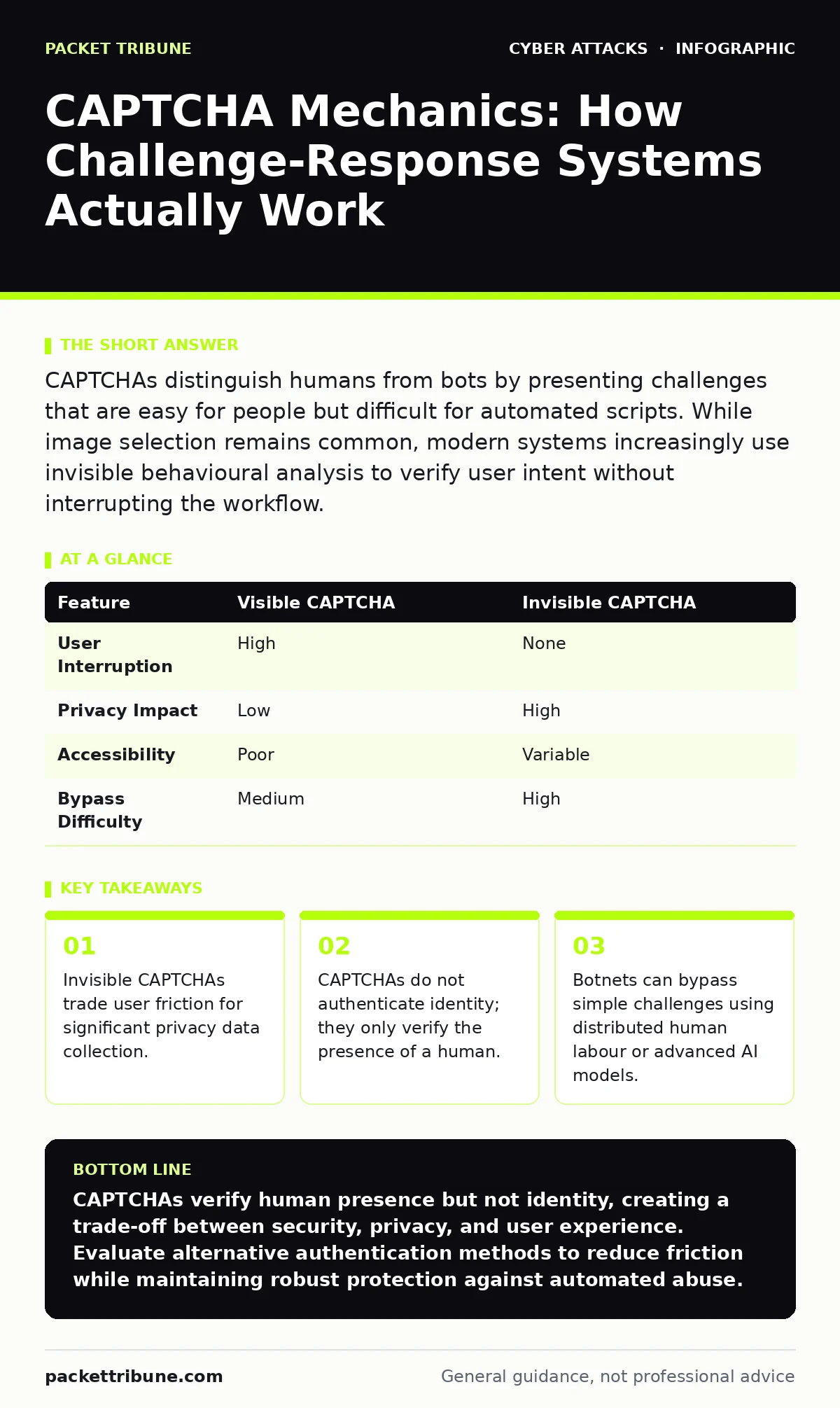
CAPTCHAs distinguish humans from bots by presenting challenges that are easy for people but difficult for automated scripts. While image selection remains common, modern systems increasingly use invisible behavioural analysis to verify user intent without interrupting the workflow.
What is the core mechanism behind a CAPTCHA?
A CAPTCHA, which stands for Completely Automated Public Turing test to tell Computers and Humans Apart, works by presenting a task that is straightforward for a human but computationally expensive or ambiguous for current automated software. The system relies on the asymmetry between human pattern recognition and machine processing capabilities. You are not proving who you are; you are proving that a biological brain is controlling the input device. This distinction is vital because a CAPTCHA offers zero authentication value regarding identity.
Why do modern CAPTCHAs often not show any puzzle?
Invisible CAPTCHAs operate by analysing mouse movements, keystroke timing, and browser environment signals rather than displaying a visual challenge. The system calculates a risk score based on how naturally a human interacts with the page. If the behaviour aligns with human norms, the request proceeds without interruption. This approach reduces friction but increases the amount of behavioural data collected from your users. You must weigh the convenience of a seamless login against the privacy implications of continuous monitoring.
Can automated bots still bypass these tests?
Yes, sophisticated botnets can bypass CAPTCHAs by using distributed click farms or advanced machine learning models trained on vast datasets of challenge images. Some attackers use headless browsers that mimic human interaction patterns closely enough to satisfy invisible CAPTCHA algorithms. The effectiveness of a CAPTCHA degrades as the sophistication of the attacking infrastructure increases. Relying solely on CAPTCHA for security creates a false sense of safety against determined adversaries.
Does a CAPTCHA protect against credential stuffing?
A CAPTCHA slows down credential stuffing attacks by forcing an attacker to solve a challenge for each login attempt, increasing the time and cost required. It does not prevent the attack entirely, nor does it stop an attacker who has compromised valid credentials. Credential stuffing exploits the reuse of passwords across multiple services, a vulnerability unrelated to bot detection. For stronger protection, you should combine rate limiting with multi-factor authentication. See our guide on endpoint protection for further layers of device-level security.
| Feature | Visible CAPTCHA | Invisible CAPTCHA |
|---|---|---|
| User Interruption | High | None |
| Privacy Impact | Low | High |
| Accessibility | Poor | Variable |
| Bypass Difficulty | Medium | High |
How do CAPTCHAs affect accessibility for disabled users?
Traditional image-based CAPTCHAs often fail users with visual impairments, motor disabilities, or cognitive differences. Audio alternatives exist but are frequently difficult to parse due to background noise or obfuscation techniques. This creates a barrier to entry that can exclude legitimate users from your services. You should ensure your implementation offers multiple verification methods, including those that do not rely on visual or auditory processing. Ignoring accessibility requirements can lead to legal liability and reputational damage.
Is it legal to collect behavioural data for verification?
Regulations such as the GDPR and CCPA restrict the collection of personal data, including behavioural telemetry used by invisible CAPTCHAs. You must provide clear consent mechanisms and privacy notices that explain how this data is used for security purposes. Failing to disclose this data collection can result in significant regulatory penalties. The legal landscape is complex, so you should consult legal counsel to ensure your implementation complies with local privacy laws. This intersects with the human factor in security, where user trust is paramount.
Why do CAPTCHAs sometimes fail legitimate users?
False positives occur when human behaviour deviates from the statistical norms expected by the CAPTCHA algorithm. Users with irregular mouse movements, slow internet connections, or browser extensions that block scripts may be flagged as bots. These failures frustrate users and increase support ticket volumes. You should monitor your false positive rate and adjust sensitivity settings to balance security with user experience. A system that blocks too many legitimate users is as ineffective as one that blocks none.
What is the hidden cost of using CAPTCHAs?
The primary hidden cost is the degradation of user experience, which can lead to abandoned transactions and reduced engagement. Every second of delay introduced by a challenge reduces conversion rates for e-commerce and service platforms. Additionally, the computational resources required to process behavioural analytics or host challenge infrastructure add to operational costs. You must calculate the return on investment by comparing the cost of bot abuse against the revenue lost from user friction.
How do CAPTCHAs relate to broader attack vectors?
CAPTCHAs are often used to protect endpoints that are targets for other social engineering attacks, such as vishing or payroll diversion fraud. While a CAPTCHA prevents automated account takeover, it does not stop a human attacker from tricking a user into revealing credentials. You must integrate CAPTCHA into a broader security strategy that includes user training and transaction monitoring. See our guide on callback verification for methods to verify high-value transactions.
Can you improve security without using CAPTCHAs?
Alternative methods include risk-based authentication, which evaluates login context such as location and device fingerprinting, and multi-factor authentication. These approaches can provide stronger security with less user friction than traditional CAPTCHAs. However, they require more sophisticated infrastructure and careful tuning to avoid false positives. You should evaluate your specific threat model to determine if CAPTCHA is the most appropriate control. Consider conducting tabletop exercises to test your response to various attack scenarios.
Key takeaways
- Invisible CAPTCHAs trade user friction for significant privacy data collection.
- CAPTCHAs do not authenticate identity; they only verify the presence of a human.
- Botnets can bypass simple challenges using distributed human labour or advanced AI models.
CAPTCHAs verify human presence but not identity, creating a trade-off between security, privacy, and user experience. Evaluate alternative authentication methods to reduce friction while maintaining robust protection against automated abuse.
Frequently asked questions
Does 2FA replace the need for CAPTCHA?
Two-factor authentication verifies identity, whereas CAPTCHA verifies human presence. They address different threats and are often used together to protect against both credential theft and automated scraping.
Are reCAPTCHAs secure?
reCAPTCHA is a widely used implementation that offers varying levels of security depending on configuration. However, no single tool is immune to bypassing by sophisticated adversaries.
How do I choose between visible and invisible CAPTCHA?
Choose visible CAPTCHAs for high-security, low-volume interactions where privacy is a concern. Use invisible CAPTCHAs for high-volume, low-friction scenarios where privacy trade-offs are acceptable.
Can AI solve CAPTCHAs?
Advanced AI models can solve many image-based CAPTCHAs with high accuracy. This drives the industry toward behavioural analysis and other methods that are harder for AI to replicate.
How this guide was produced: written by the Packet Tribune editorial team with AI assistance, checked against the public references listed below, and reviewed when the facts change. See our editorial policy or report an error.