Prevent Supply Chain Attacks: Practical Controls for Third-Party Risk
Your internal defences are irrelevant if the software you install already contains a backdoor signed by a trusted developer.
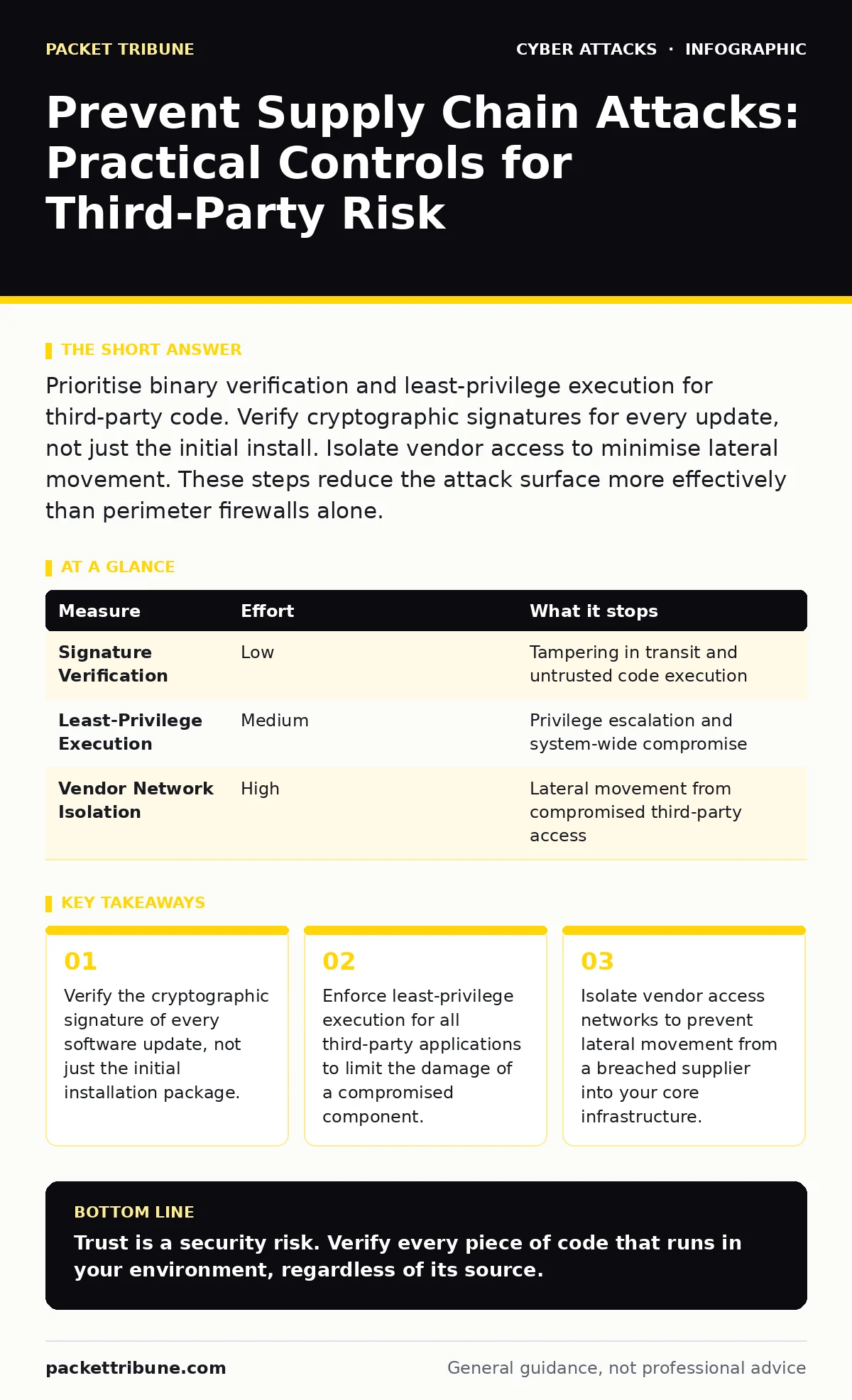
Prioritise binary verification and least-privilege execution for third-party code. Verify cryptographic signatures for every update, not just the initial install. Isolate vendor access to minimise lateral movement. These steps reduce the attack surface more effectively than perimeter firewalls alone.
The Illusion of Internal Security
You assume your network is secure because your perimeter defences are strong. This assumption fails when the threat enters through a trusted channel. A supply chain attack compromises a product before it reaches you. The vendor signs the malware with their legitimate certificate. Your systems accept the code as valid. This bypasses traditional integrity checks that rely on known-good hashes. You are not defending against an external break-in. You are defending against your own approved software.
Verify Every Update
The initial installation of software is often scrutinised. Subsequent updates are frequently automated and trusted implicitly. This trust is the primary vector for supply chain intrusion. An attacker who compromises a vendor’s build server can inject malicious code into a routine patch. When your systems auto-update, they execute the payload. You must verify the digital signature of every update. This ensures the code comes from the legitimate publisher. It does not guarantee the publisher’s server was not compromised, but it prevents man-in-the-middle tampering.
Enforce Least-Privilege Execution
Even verified software can contain vulnerabilities or be compromised after signing. If a third-party application runs with administrative privileges, a flaw in that software grants the attacker root access. You must run third-party applications with the minimum permissions required for their function. This contains the blast radius. If the application is exploited, the attacker remains trapped in a low-privilege sandbox. This principle applies to cloud services and on-premise binaries alike. It forces attackers to find additional vulnerabilities to elevate their status.
Isolate Vendor Access
Third-party providers often require remote access to your systems for maintenance or support. This access is a direct bridge into your environment. You must isolate these connections from your core network. Use jump hosts or bastions for all vendor access. Log every session and enforce time-limited credentials. This prevents lateral movement. If a vendor’s credentials are stolen, the attacker cannot pivot to your critical assets. This isolation also aids in forensic analysis. You can trace the origin of an intrusion to a specific vendor session.
| Measure | Effort | What it stops |
|---|---|---|
| Signature Verification | Low | Tampering in transit and untrusted code execution |
| Least-Privilege Execution | Medium | Privilege escalation and system-wide compromise |
| Vendor Network Isolation | High | Lateral movement from compromised third-party access |
Scrutinise Open Source Dependencies
Modern applications rely on thousands of open-source libraries. These components are maintained by volunteers, not your security team. An attacker can compromise a popular library, forcing you to inherit the vulnerability. You must maintain a software bill of materials. This inventory lists every component in your application. It allows you to track vulnerabilities in your dependencies. You should automate the scanning of these dependencies for known flaws. This is not a one-time task. New vulnerabilities are discovered daily.
Monitor for Anomalous Behaviour
Static controls prevent known threats. Dynamic monitoring detects unknown ones. You must monitor the behaviour of third-party applications. Look for unusual network connections or file modifications. A legitimate printer driver should not attempt to contact a foreign command-and-control server. Implement behavioural analytics that establish a baseline for each application. Deviations from this baseline trigger alerts. This helps you detect zero-day exploits in third-party software. It complements your preventive measures by providing a safety net.
What Does Not Work
Many organisations focus on perimeter defenses. They invest heavily in firewalls and intrusion detection systems. These tools are effective against external attacks. They fail against supply chain attacks. The malicious code arrives via a trusted channel. It is signed and authorised. The firewall sees legitimate traffic. The intrusion detection system sees normal behaviour. You cannot prevent what you allow. You must shift your focus from the perimeter to the integrity of the software itself.
Continuous Verification
Supply chain security is not a project. It is a continuous process. Vendors change. Dependencies update. Build servers are compromised. You must regularly re-evaluate your third-party risks. This includes reviewing vendor security practices. It includes updating your software bill of materials. It includes testing your incident response plans. You should conduct tabletop exercises to simulate a supply chain breach. This prepares your team for the reality of a compromised trusted source.
Key takeaways
- Verify the cryptographic signature of every software update, not just the initial installation package.
- Enforce least-privilege execution for all third-party applications to limit the damage of a compromised component.
- Isolate vendor access networks to prevent lateral movement from a breached supplier into your core infrastructure.
Trust is a security risk. Verify every piece of code that runs in your environment, regardless of its source.
Frequently asked questions
How do I verify the signature of a software update?
Use the cryptographic tools provided by the software vendor. Most package managers support signature verification. Configure them to reject unsigned or mismatched signatures.
What is a software bill of materials?
It is a structured list of all components used in your software. It includes open-source libraries and third-party dependencies. It helps you track vulnerabilities in your supply chain.
Should I disable automatic updates for security?
No. Disabling updates leaves you vulnerable to known flaws. Instead, configure automatic updates to require signature verification. This balances security with patch management.
How do I isolate vendor access effectively?
Use a separate network segment for vendor connections. Implement jump hosts for all remote access. Log all activities and enforce time-limited credentials.
How this guide was produced: written by the Packet Tribune editorial team with AI assistance, checked against the public references listed below, and reviewed when the facts change. See our editorial policy or report an error.