Operating System Kernel and Shell: How They Interact
The shell translates human commands for the kernel, creating a security boundary that fails when privilege escalation bypasses the interface.

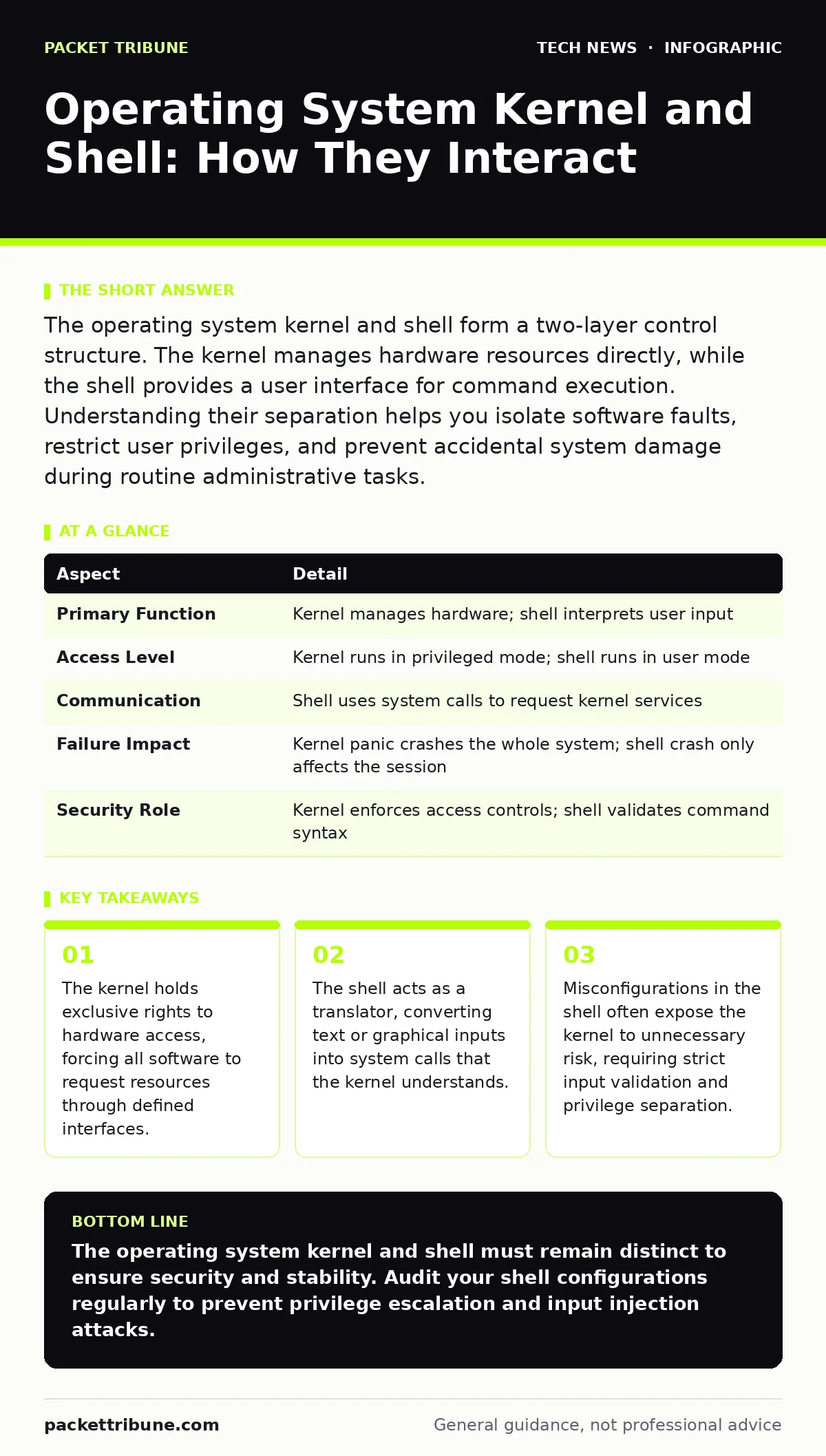
The operating system kernel and shell form a two-layer control structure. The kernel manages hardware resources directly, while the shell provides a user interface for command execution. Understanding their separation helps you isolate software faults, restrict user privileges, and prevent accidental system damage during routine administrative tasks.
Operating System Kernel and Shell Basics
The operating system kernel and shell represent the core interaction model of modern computing. The kernel is the central program that manages hardware resources, memory, and processes. It acts as a gatekeeper, ensuring that applications receive only the resources they request and nothing more. The shell serves as the user interface, translating your commands into actions the kernel can execute. This separation creates a vital boundary between human intent and machine execution.
Imagine you are ordering food at a restaurant. The kitchen is the kernel, handling the raw ingredients and cooking equipment. The waiter is the shell, taking your order and conveying it to the kitchen. You do not enter the kitchen yourself. The waiter ensures your request is valid before passing it along. If you ask for something the kitchen cannot prepare, the waiter informs you. The kitchen never deals directly with customers. This analogy illustrates why the operating system kernel and shell must remain distinct. Direct access to the kernel without a shell would be chaotic and dangerous. The shell provides structure, history, and error handling that raw kernel interactions lack.
| Aspect | Detail |
|---|---|
| Primary Function | Kernel manages hardware; shell interprets user input |
| Access Level | Kernel runs in privileged mode; shell runs in user mode |
| Communication | Shell uses system calls to request kernel services |
| Failure Impact | Kernel panic crashes the whole system; shell crash only affects the session |
| Security Role | Kernel enforces access controls; shell validates command syntax |
How the Interaction Works
The shell does not execute commands directly. It parses your input, identifies the requested program, and requests the kernel to load it into memory. This process involves a system call, a specific software interrupt that switches the processor from user mode to kernel mode. The kernel then performs the requested action, such as reading a file or allocating memory. Once complete, the kernel returns control to the shell, which displays the output.
This handoff introduces latency. Every command you type requires at least one context switch between user space and kernel space. High-frequency commands can create bottlenecks if the kernel is poorly optimized. The shell buffers input to reduce the number of system calls, improving performance. However, this buffering can mask errors until the buffer fills. You might think a command succeeded when the kernel actually rejected it. The shell only reports the final status.
Consider a script that deletes thousands of files. The shell sends delete requests to the kernel one by one. The kernel checks permissions for each file. If one file is locked, the kernel returns an error. The shell continues with the next file. Without proper error handling in the shell script, you might miss the failure. The operating system kernel and shell interaction relies on correct error propagation. If the shell ignores return codes, you assume success where there is partial failure.
Who Is Affected by This Boundary
The separation between the operating system kernel and shell affects every user, but the impact varies by role. System administrators rely on the shell for automation. They write scripts that depend on predictable kernel behaviour. If the kernel changes its system call interface, existing scripts may break. This is known as API drift. Developers who build applications must understand which tasks require kernel intervention. They cannot bypass the kernel for performance reasons. Doing so creates security vulnerabilities.
End users are less aware of this boundary. They interact with graphical shells that hide the complexity. When a graphical interface freezes, the problem might be in the shell component or the kernel. Distinguishing between the two requires diagnostic tools. If the mouse still moves, the kernel is likely alive, and the shell has crashed. If the entire system hangs, the kernel has entered an unrecoverable state. Understanding this difference saves time during troubleshooting.
Security teams monitor this boundary closely. Attackers often target the shell to inject malicious commands. If the shell passes unchecked input to the kernel, it can cause buffer overflows. These exploits allow code execution with kernel privileges. The operating system kernel and shell design must include strict input validation. The shell should never trust its own input. It must sanitise all data before passing it to the kernel.
Common Misconceptions About Kernels and Shells
Many believe the shell protects the system. This is incorrect. The shell is merely a messenger. It has no authority to enforce security policies. Only the kernel can deny access. If a user has permission to read a file, the shell will allow it. The shell cannot stop a user from deleting their own home directory. It can only warn them. This misconception leads to weak security practices. Administrators often focus on shell configuration while ignoring kernel hardening.
Another error is assuming the kernel is static. Modern kernels are modular. They load drivers and features on demand. This flexibility increases the attack surface. A vulnerable driver can compromise the entire kernel. The shell cannot protect against a compromised kernel module. Once the kernel is breached, all security controls fail. The operating system kernel and shell relationship is asymmetric. The kernel trusts the shell less than the shell trusts the kernel.
Securing the Interface
Securing the interaction between the operating system kernel and shell requires multiple layers. First, implement the principle of least privilege. Users should run shells with minimal permissions. Administrative tasks should use elevated privileges only when necessary. This reduces the impact of a compromised shell session. Second, validate all inputs. The shell must reject malformed commands before they reach the kernel. This prevents injection attacks.
Third, monitor system calls. Tools can log every request the shell makes to the kernel. Unusual patterns indicate potential breaches. For example, a script that suddenly opens network sockets may be exfiltrating data. The kernel provides the data, but the shell initiates the request. Correlating these events helps identify the source. Fourth, keep both components updated. Kernel updates often fix security flaws. Shell updates improve input validation. Delaying updates leaves known vulnerabilities open.
Consider integrating secure software development practices. Code that interacts with the kernel should be reviewed for buffer overflow risks. Input validation libraries should be used consistently. This reduces the chance of a shell command crashing the kernel. The operating system kernel and shell must work together to maintain system integrity. Neither can do it alone.
See also: Email Security Protocols: Mechanics, Gaps and Mitigation · OAuth vs API Key: When to Use Tokens and When to Use Secrets
Advanced Configuration and Auditing
Advanced users can configure the shell to audit its own activity. Logging every command executed helps track changes. This is useful for compliance and forensic analysis. The shell can write logs to a remote server, ensuring they are not tampered with locally. The kernel must allow this logging without performance degradation. Buffering logs in kernel memory can slow down the system. Writing directly to disk is safer but slower.
Network access control policies should restrict which shells can initiate network connections. This prevents compromised scripts from communicating with external servers. The kernel enforces these rules at the packet level. The shell cannot bypass them. Combining shell auditing with network monitoring provides a complete view of system activity. You can correlate command execution with network traffic. This reveals automated attacks or data leaks.
Domain name security settings also affect shell behaviour. When a shell resolves hostnames, it queries DNS servers. If DNS is compromised, the shell may connect to malicious servers. Using DNS-over-TLS ensures the resolution is secure. The kernel handles the encryption, but the shell initiates the query. Misconfigured DNS settings in the shell environment can lead to man-in-the-middle attacks. Verify DNS configurations regularly.
Practical Steps for Implementation
Start by reviewing your shell configurations. Remove unnecessary environment variables that might leak sensitive data. Ensure default permissions are restrictive. Use modern shells that support job control and history management. These features reduce the risk of accidental command reuse. Next, audit your kernel parameters. Disable unused kernel modules. This reduces the attack surface. The operating system kernel and shell should only include what is necessary.
Implement regular testing. Simulate attacks to see how the shell and kernel respond. Check for privilege escalation vulnerabilities. Verify that input validation works correctly. Document your configurations. When an incident occurs, you need to know the baseline. Compare current logs with the baseline to identify anomalies. This proactive approach keeps your system secure.
Key takeaways
- The kernel holds exclusive rights to hardware access, forcing all software to request resources through defined interfaces.
- The shell acts as a translator, converting text or graphical inputs into system calls that the kernel understands.
- Misconfigurations in the shell often expose the kernel to unnecessary risk, requiring strict input validation and privilege separation.
The operating system kernel and shell must remain distinct to ensure security and stability. Audit your shell configurations regularly to prevent privilege escalation and input injection attacks.
Frequently asked questions
Can the shell bypass kernel security restrictions?
No, the shell cannot bypass kernel security. The kernel enforces all access controls and resource limits. The shell can only request actions within the permissions granted to the user. If the kernel denies a request, the shell must report the failure.
What happens if the kernel panics while the shell is running?
A kernel panic stops all system operations immediately. The shell process is terminated along with all other processes. The system becomes unresponsive and usually requires a reboot. No data in the shell buffer is saved unless it was written to disk before the panic occurred.
Is it safer to use a graphical shell or a command-line shell?
Both have similar security risks if misconfigured. Command-line shells offer more transparency, allowing users to see exact commands. Graphical shells hide complexity, which can lead to accidental actions. The security depends on input validation and privilege management, not the interface type.
How often should kernel and shell versions be updated?
Updates should be applied as soon as security patches are available. Delaying updates leaves known vulnerabilities open. Test updates in a staging environment first to ensure compatibility. Regular updates protect against new exploits targeting the operating system kernel and shell interaction.
How this guide was produced: written by the Packet Tribune editorial team with AI assistance, checked against the public references listed below, and reviewed when the facts change. See our editorial policy or report an error.