Network Access Control Mistakes That Compromise Your Infrastructure
Misconfigured zero trust policies often block legitimate automation before they stop actual threats, creating silent operational gaps that auditors miss.

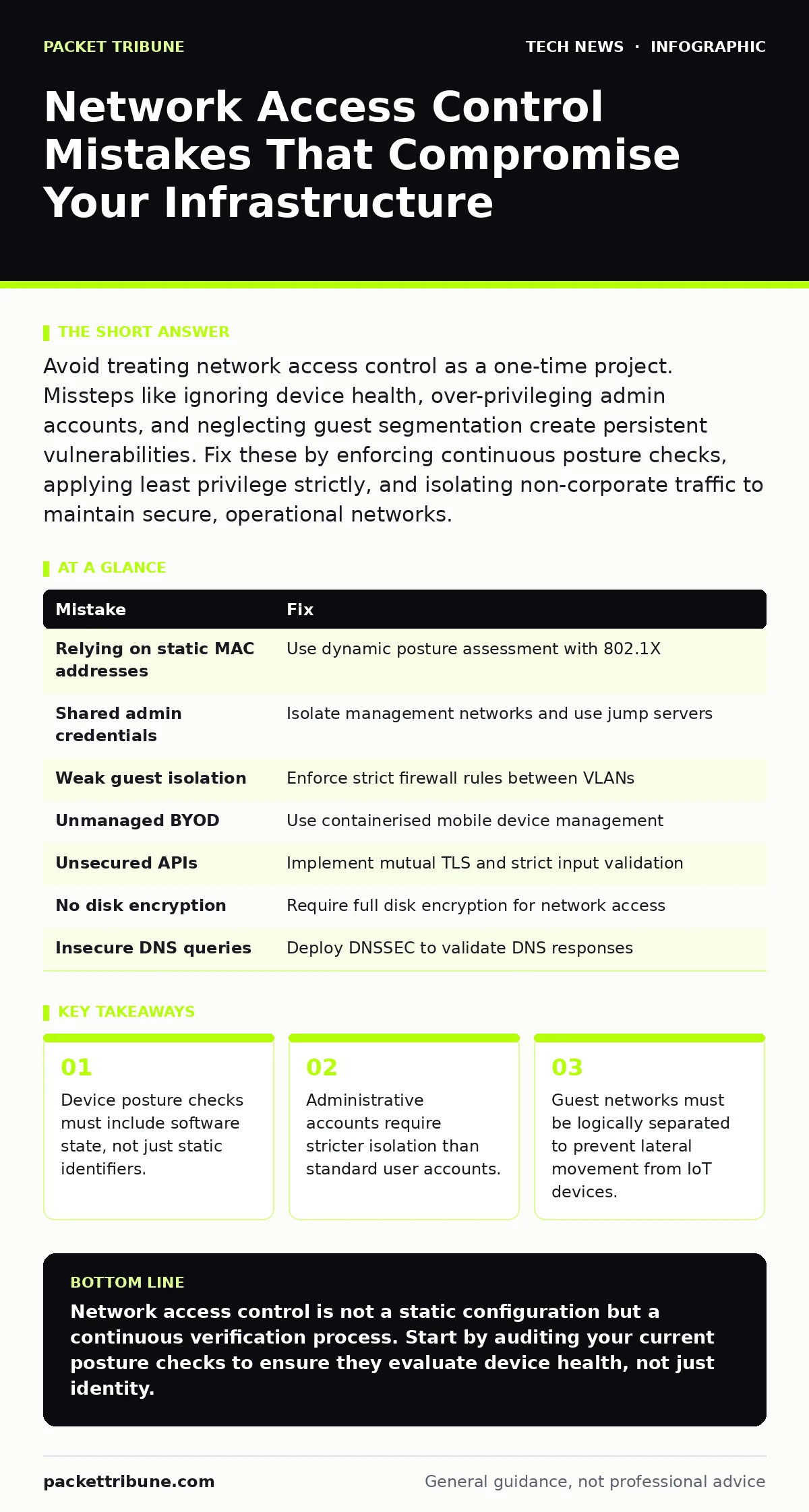
Avoid treating network access control as a one-time project. Missteps like ignoring device health, over-privileging admin accounts, and neglecting guest segmentation create persistent vulnerabilities. Fix these by enforcing continuous posture checks, applying least privilege strictly, and isolating non-corporate traffic to maintain secure, operational networks.
Mistake 1: Relying Solely on Static Device Identification
Many organisations configure network access control systems to identify devices using only their Media Access Control addresses. This unique hardware identifier is easy to spoof and does not verify the actual state of the device. An attacker can clone the address of an authorised laptop to gain entry, bypassing the initial gate entirely.
Why it hurts:
Static identification fails to detect compromised or non-compliant devices. If a authorised laptop becomes infected with malware, the system continues to grant it full network access because the hardware signature remains unchanged. This creates a false sense of security where the perimeter appears secure while the internal environment is exposed.
The fix:
Implement dynamic posture assessment that evaluates the device before granting access. The system should verify the presence of active endpoint protection, current software updates, and operating system integrity. Combine this with 802.1X authentication, which requires a digital certificate or credentials, ensuring the user and the device are both verified. This layered approach ensures that a cloned address alone cannot bypass security controls.
Mistake 2: Ignoring Administrative Account Segregation
Administrators often use the same credentials and network profiles for daily tasks as they do for managing critical infrastructure. This convenience creates a high-risk pathway where a compromised standard account can escalate privileges to control core network devices. The boundary between user and manager becomes porous.
Why it hurts:
If an administrator’s primary workstation is infected, the malware can capture credentials or inject commands into the management plane. This allows attackers to modify firewall rules, disable logging, or install backdoors on switches and routers. The damage is extensive because the attacker inherits the highest level of trust within the network architecture.
The fix:
Enforce strict separation between management and data planes. Administrators should access network devices through a dedicated, isolated management network that is not reachable from the general user VLAN. Use jump servers or privileged access management solutions that log every command and session. Regular users must never have direct Layer 2 or Layer 3 access to device configuration interfaces.
Mistake 3: Treating Guest Networks as Simple Wi-Fi Extensions
Guest access is frequently implemented as a separate SSID without proper logical isolation. While this separates traffic at the wireless level, it often fails to prevent communication between guest devices and internal resources at the router or switch level. The assumption that "guest" means "isolated" is often technically incorrect.
Why it hurts:
Guests often bring Internet of Things devices or personal laptops that may be compromised or poorly secured. Without strict firewall rules between the guest VLAN and the corporate VLAN, an attacker can pivot from a guest device to internal servers. This lateral movement bypasses the external perimeter entirely, exposing sensitive data to threats originating from outside the organisation’s direct control.
The fix:
Configure the guest network with a dedicated subnet and enforce firewall rules that deny all traffic to internal corporate subnets. Allow only outbound internet traffic and block all peer-to-peer communication between guest devices. Implement captive portals for authentication to ensure users accept terms of use, which can provide legal standing and basic identification. This approach mirrors best practices for printer security, where isolated devices must not access the broader network.
Mistake 4: Overlooking the Impact of Bring Your Own Device Policies
Employees increasingly use personal devices for work, blending private and professional data. Many network access control policies fail to distinguish between the personal and corporate data on these devices, leading to either overly restrictive access or dangerous openness. The policy often treats the entire device as a single trust unit.
Why it hurts:
If the policy is too permissive, personal apps with poor security practices can access corporate resources. If it is too restrictive, employees may bypass security by using unmonitored cellular connections or personal cloud services, shadow IT. This lack of visibility means the organisation cannot protect data that resides on devices it does not fully control.
The fix:
Adopt a containerised approach to mobile device management. The network access control system should verify that a secure container exists on the device, separating work applications from personal ones. Access to sensitive resources should be granted only to the container, not the entire device. This aligns with modern remote work security frameworks, allowing flexibility without compromising the integrity of corporate data.
Mistake 5: Neglecting API Security in Access Control Decisions
Modern network access control systems often rely on APIs to communicate with directory services, threat intelligence feeds, and identity providers. These APIs are rarely secured with the same rigour as the network infrastructure itself, creating a hidden attack surface. Attackers may target the integration points rather than the network devices.
Why it hurts:
If an attacker compromises the API used to validate user credentials, they can inject false responses that grant access to malicious actors. This undermines the entire authentication chain. The network access control system makes decisions based on poisoned data, allowing unauthorised entry while appearing to function normally. This vulnerability is particularly acute when integrating with third-party identity providers.
The fix:
Secure all API endpoints with mutual TLS authentication, ensuring both the client and server verify each other’s identity. Implement strict rate limiting and input validation to prevent injection attacks. Regularly rotate API keys and monitor for anomalous usage patterns. Treat these integrations with the same scrutiny as website security, where the interface is often the primary target for exploitation.
See also: TLS Certificates: Answers to 10 Persistent Infrastructure Questions · Browser Isolation: Definition, Purpose and Architecture Explained
Mistake 6: Failing to Encrypt Data at Rest on Endpoint Devices
Network access control focuses heavily on network traffic and authentication, often neglecting the data stored on the devices that gain access. If a laptop is stolen or lost, the network access control policy is irrelevant because the device is no longer on the network. The data itself becomes exposed.
Why it hurts:
Without full disk encryption, anyone with physical access to the device can boot from an external drive and access the file system directly. This bypasses all network-based security controls. Sensitive data, including cached credentials and local documents, becomes accessible to the attacker. The risk is not just data loss but also the potential for credential harvesting.
The fix:
Enforce full disk encryption as a prerequisite for network access. Tools like BitLocker for Windows or FileVault for macOS should be mandatory. The network access control system should check for the encryption status during the posture assessment phase. If encryption is not active, the device should be quarantined until the issue is resolved. This ensures that even if the network perimeter is breached, the data remains protected.
Mistake 7: Assuming DNS Queries Are Safe from Manipulation
Many organisations overlook the security of Domain Name System queries within their network access control strategy. Attackers can manipulate DNS responses to redirect users to malicious sites, even if the initial network access was legitimate. This is a common vector for phishing and malware distribution.
Why it hurts:
If DNS responses are not validated, an attacker on the same network segment can perform spoofing attacks. Users may believe they are accessing legitimate internal resources or public websites, but are actually connecting to attacker-controlled servers. This undermines the trust established by network access control, as users interact with compromised endpoints.
The fix:
Implement DNS Security Extensions to cryptographically sign DNS records and verify their authenticity. Configure internal DNS servers to forward queries to trusted resolvers that support these extensions. This prevents cache poisoning and spoofing attacks. Integrating DNSSEC into your network security strategy ensures that the destination of a connection is as trusted as the identity of the device making the connection.
| Mistake | Fix |
|---|---|
| Relying on static MAC addresses | Use dynamic posture assessment with 802.1X |
| Shared admin credentials | Isolate management networks and use jump servers |
| Weak guest isolation | Enforce strict firewall rules between VLANs |
| Unmanaged BYOD | Use containerised mobile device management |
| Unsecured APIs | Implement mutual TLS and strict input validation |
| No disk encryption | Require full disk encryption for network access |
| Insecure DNS queries | Deploy DNSSEC to validate DNS responses |
Key takeaways
- Device posture checks must include software state, not just static identifiers.
- Administrative accounts require stricter isolation than standard user accounts.
- Guest networks must be logically separated to prevent lateral movement from IoT devices.
Network access control is not a static configuration but a continuous verification process. Start by auditing your current posture checks to ensure they evaluate device health, not just identity.
Frequently asked questions
Can network access control replace traditional firewalls?
No, they serve different purposes. Network access control manages who and what can connect, while firewalls filter traffic based on rules. They work best together, with NAC ensuring only trusted devices reach the firewall.
How do I handle legacy devices that cannot support modern authentication?
Use a captive portal or MAC address authentication as a fallback, but place these devices in a highly restricted VLAN. Limit their access to only the resources they strictly need, and monitor their traffic closely for anomalies.
Is zero trust the same as network access control?
Zero trust is a security model that assumes no trust by default. Network access control is a technical implementation that helps enforce zero trust principles by verifying identity and device health before allowing connectivity.
How often should I review my network access control policies?
Review policies after any significant network change or new threat intelligence. Quarterly reviews are advisable to ensure alignment with current business processes and security standards, adapting to new device types and user behaviours.
How this guide was produced: written by the Packet Tribune editorial team with AI assistance, checked against the public references listed below, and reviewed when the facts change. See our editorial policy or report an error.