How the TLS Handshake Works: Mechanics, Weaknesses and Audit Points
The TLS handshake negotiates cryptographic parameters before data flows, meaning misconfigurations in cipher suites expose traffic before encryption even begins.

The TLS handshake is a multi-step protocol where a client and server negotiate encryption keys and verify identities. It involves exchanging random numbers, selecting cipher suites, and performing asymmetric authentication. Understanding this process helps you identify where configuration errors allow attackers to downgrade security or intercept traffic.
The Foundation of Secure Transport
Transport Layer Security (TLS) protects data in transit by establishing an encrypted channel between two parties. This process begins before any application data is sent. You must understand the handshake mechanics to audit configurations effectively. A flawed handshake exposes your systems to interception or downgrade attacks. The protocol relies on a combination of asymmetric and symmetric cryptography. Asymmetric cryptography uses a pair of keys for authentication, while symmetric cryptography handles the high-speed encryption of actual data. This separation balances security with performance.
Stage One: Client Hello
The connection begins when the client initiates contact. The client sends a Client Hello message containing its highest supported TLS version, a random number, and a list of preferred cipher suites. A cipher suite is a set of algorithms that defines how the connection will be authenticated, encrypted, and verified. The client also includes supported extensions, such as Server Name Indication (SNI), which allows one server to host multiple domains. This stage reveals your client’s capabilities to the server. An attacker observing this traffic can fingerprint your operating system or software version based on the order and presence of these extensions.
Stage Two: Server Hello and Certificate
The server responds with a Server Hello message. It selects the highest TLS version and cipher suite that both parties support. If no common ground exists, the connection fails immediately. The server then sends its digital certificate. This certificate binds the server’s public key to its identity. It is signed by a Certificate Authority (CA) that the client trusts. You should verify that the certificate matches the domain name you are connecting to. Many clients perform this check automatically, but misconfigured servers may present invalid or expired certificates. See our guide on TLS certificates for details on managing validity periods.
Stage Three: Key Exchange and Authentication
This stage establishes the shared secret for symmetric encryption. The method depends on the agreed cipher suite. In many modern configurations, the client generates a premaster secret and encrypts it with the server’s public key. The server decrypts this using its private key. Both parties then derive the same session keys from the random numbers exchanged earlier. This ensures that only the intended recipient can read the traffic. Some configurations use Diffie-Hellman key exchange, which provides forward secrecy. Forward secrecy means that compromising the server’s long-term private key does not allow an attacker to decrypt past recorded sessions.
Stage Four: Finished Messages
Both parties send Finished messages to verify the integrity of the handshake. These messages contain a hash of all previous handshake messages, encrypted with the newly established session keys. This step confirms that no tampering occurred during the negotiation. If the hash does not match, the connection is terminated. This mechanism protects against active attackers who might try to alter the negotiated parameters mid-flight. It is the final check before the secure tunnel is considered open.
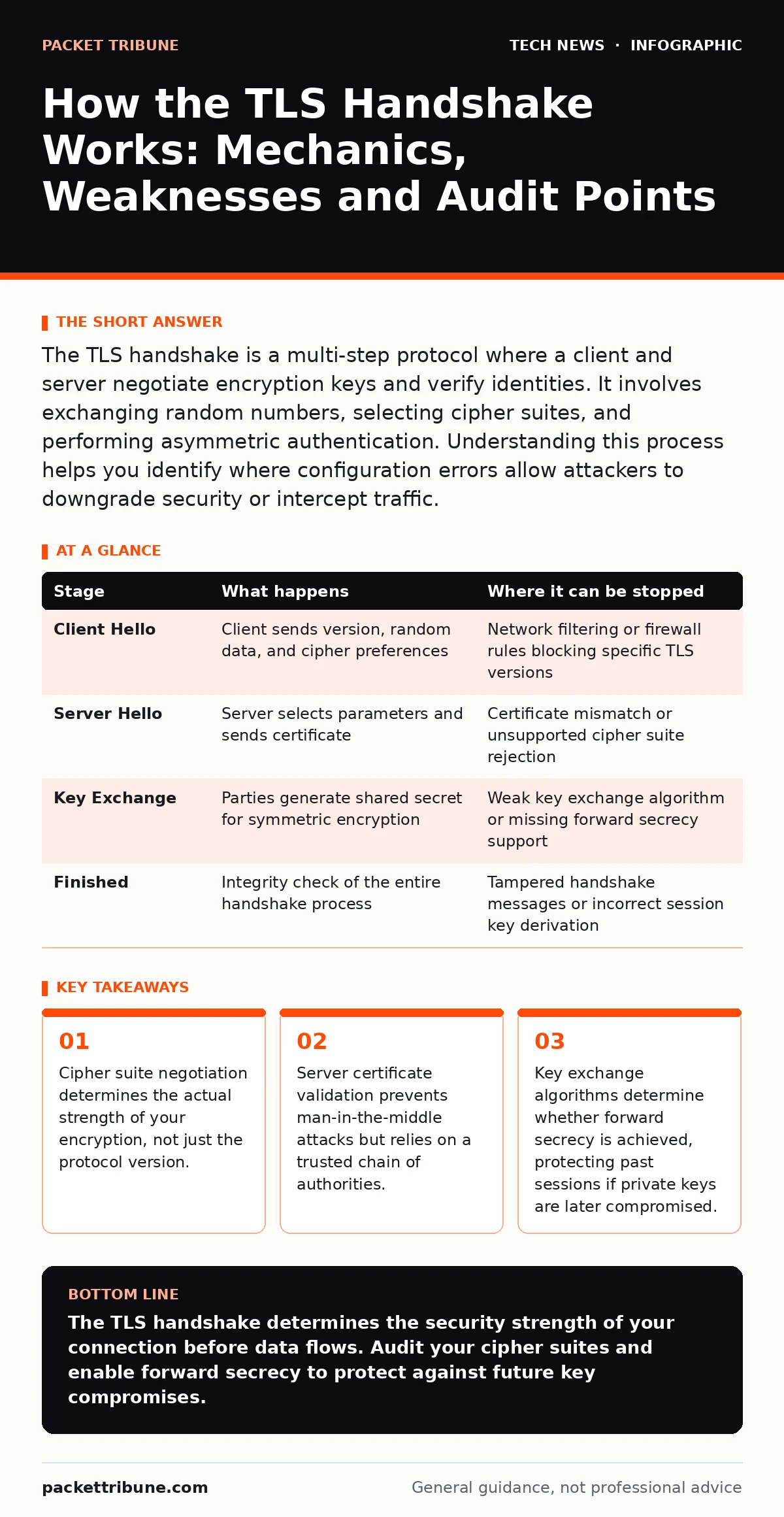
| Stage | What happens | Where it can be stopped |
|---|---|---|
| Client Hello | Client sends version, random data, and cipher preferences | Network filtering or firewall rules blocking specific TLS versions |
| Server Hello | Server selects parameters and sends certificate | Certificate mismatch or unsupported cipher suite rejection |
| Key Exchange | Parties generate shared secret for symmetric encryption | Weak key exchange algorithm or missing forward secrecy support |
| Finished | Integrity check of the entire handshake process | Tampered handshake messages or incorrect session key derivation |
See also: TLS Certificates: Answers to 10 Persistent Infrastructure Questions · Wifi router security: Stop hidden admin access from leaking data
Reading the Handshake for Security
You can inspect handshakes using packet capture tools or browser developer consoles. Look for the cipher suite selected. Avoid suites that use MD5 or SHA-1 for message authentication, as these are cryptographically weak. Ensure that the key exchange method supports forward secrecy. This is critical for protecting historical data. Also, check for the presence of the SNI extension. Without it, modern CDNs and load balancers may fail to route traffic correctly. Misconfigured SNI can lead to certificate errors for users.
Edge Cases and Misconfigurations
Not all handshakes proceed linearly. Some servers support session resumption to speed up connections. This allows a client to reconnect without a full handshake. While efficient, it can be exploited if session tickets are not rotated frequently. An attacker who steals a session ticket can impersonate a previous session. You must configure your servers to rotate these tickets regularly. Additionally, some clients may request compression. TLS compression can be exploited to reveal plaintext data through side-channel attacks. Disable compression in your TLS configuration to mitigate this risk.
Practical Application for Infrastructure
Apply this knowledge to your infrastructure audits. Review your server configurations to ensure they prefer strong cipher suites. Disable weak algorithms like RC4 or DES. Ensure that your servers support only TLS 1.2 and 1.3. Older versions have known vulnerabilities that are difficult to patch. Regularly update your cryptographic libraries. See our guide on software updates for maintaining patch levels. Also, consider the impact of edge computing security, as devices at the network edge may have weaker handshake implementations.
Advanced Considerations for Enterprise Networks
Large organisations often use mutual TLS (mTLS). In mTLS, the client also presents a certificate to the server. This adds an extra layer of authentication. It is useful for securing internal services and APIs. However, it increases complexity in certificate management. You must ensure that clients have valid certificates and that servers validate them correctly. This approach reduces the risk of unauthorised access. It also aligns with zero-trust security models. See our guide on secure software development for integrating mTLS into application design.
Conclusion of the Handshake Process
The handshake is the foundation of secure communication. It sets the rules for how data will be protected. Understanding each stage helps you identify vulnerabilities before they are exploited. You should regularly audit your configurations and update them as new threats emerge. Do not rely on default settings, as they often prioritise compatibility over security. Implement strict policies for cipher suites and protocol versions. This proactive approach reduces your attack surface significantly.
Key takeaways
- Cipher suite negotiation determines the actual strength of your encryption, not just the protocol version.
- Server certificate validation prevents man-in-the-middle attacks but relies on a trusted chain of authorities.
- Key exchange algorithms determine whether forward secrecy is achieved, protecting past sessions if private keys are later compromised.
The TLS handshake determines the security strength of your connection before data flows. Audit your cipher suites and enable forward secrecy to protect against future key compromises.
Frequently asked questions
What happens if the client and server do not share a common cipher suite?
The handshake fails immediately, and no connection is established. The client usually displays an error message indicating a protocol mismatch.
Why is forward secrecy important in the TLS handshake?
Forward secrecy ensures that past sessions remain secure even if the server’s private key is compromised in the future. It limits the damage of a key breach.
Can an attacker modify the Client Hello message?
An active attacker can intercept and modify the message, but the Finished messages will detect the tampering and terminate the connection. Passive attackers can only observe it.
How does SNI affect the TLS handshake?
SNI allows the client to specify the domain name it wants to connect to. This enables servers to present the correct certificate for multi-domain hosting.
How this guide was produced: written by the Packet Tribune editorial team with AI assistance, checked against the public references listed below, and reviewed when the facts change. See our editorial policy or report an error.