Different Types of Load Balancers: Architecture and Selection
Layer 7 load balancers rewrite application data to mask backend vulnerabilities, creating a hidden attack surface that traditional perimeter devices cannot see.
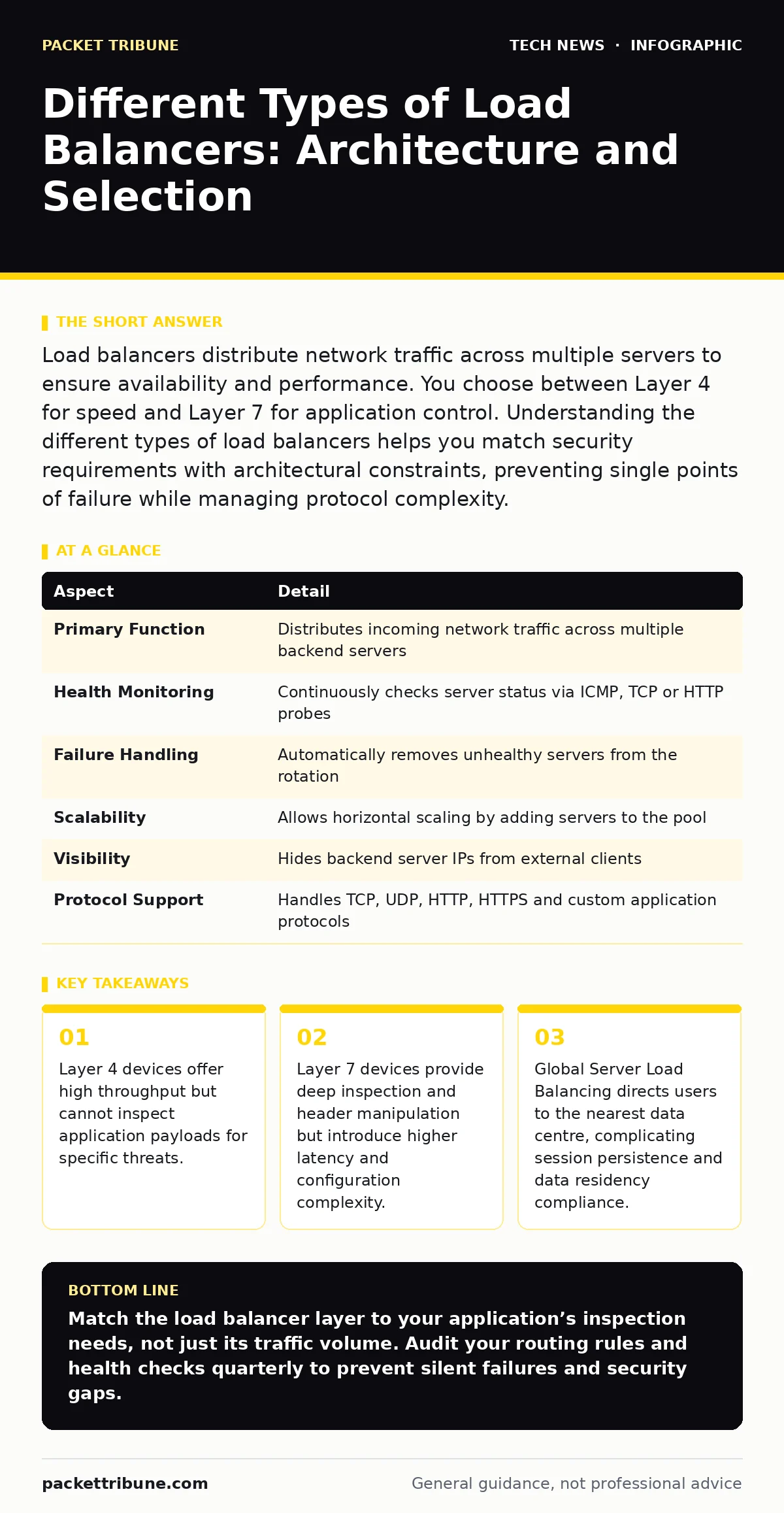
Load balancers distribute network traffic across multiple servers to ensure availability and performance. You choose between Layer 4 for speed and Layer 7 for application control. Understanding the different types of load balancers helps you match security requirements with architectural constraints, preventing single points of failure while managing protocol complexity.
How a Load Balancer Distributes Traffic
Imagine a busy restaurant with 3 chefs. If all orders go to one chef, they burn out. A load balancer acts as the head waiter, handing orders to available chefs based on who is free. In digital infrastructure, a load balancer sits between clients and backend servers. It receives incoming requests and forwards them to healthy servers in a pool. This prevents any single server from becoming overwhelmed. The device hides the internal structure of your server fleet. Clients see only the load balancer’s public IP address.
This abstraction simplifies scaling and maintenance. You can add or remove servers without changing client configurations. The balancer continuously monitors server health. It stops sending traffic to servers that fail health checks. This automatic failover maintains service continuity during hardware failures or software crashes. The mechanism relies on algorithms such as round-robin or least connections. These rules determine which server receives the next request. The choice of algorithm affects response times and resource utilisation.
| Aspect | Detail |
|---|---|
| Primary Function | Distributes incoming network traffic across multiple backend servers |
| Health Monitoring | Continuously checks server status via ICMP, TCP or HTTP probes |
| Failure Handling | Automatically removes unhealthy servers from the rotation |
| Scalability | Allows horizontal scaling by adding servers to the pool |
| Visibility | Hides backend server IPs from external clients |
| Protocol Support | Handles TCP, UDP, HTTP, HTTPS and custom application protocols |
The Mechanics of Layer 4 Load Balancing
Layer 4 load balancers operate at the transport layer of the OSI model. They inspect IP addresses and port numbers in packet headers. They do not look inside the payload of the data stream. This makes them extremely fast and efficient. They simply forward packets to the selected backend server. The client connects directly to the backend server after the initial handoff. This direct connection reduces the processing overhead on the balancer. Layer 4 balancing is ideal for TCP-based services like databases or DNS.
It is also used for UDP traffic such as video streaming. Because it ignores application content, it cannot make decisions based on URLs or cookies. It treats all traffic to a specific port as identical. This limitation means you cannot route specific API calls to different servers. You cannot terminate TLS connections at this layer. The encryption must be handled by the backend servers. This preserves end-to-end encryption but increases the computational load on your application servers.
Application Logic in Layer 7 Load Balancing
Layer 7 load balancers operate at the application layer. They understand HTTP, HTTPS and other application protocols. They can inspect headers, cookies and URL paths. This allows for sophisticated routing decisions. You can send API requests to one server group and static images to another. Layer 7 devices often terminate TLS connections. They decrypt traffic, inspect the content, then re-encrypt it for the backend. This capability enables web application firewall features.
You can block requests containing malicious SQL injection patterns. You can enforce content-based caching rules. The trade-off is performance. Decrypting and inspecting every packet consumes significant CPU resources. This adds latency to the user experience. Configuration is more complex than Layer 4. You must manage certificate rotation and header rewriting rules. The balancer becomes a single point of inspection. If it is misconfigured, it can break application functionality. It also exposes the balancer to application-layer attacks.
Global Server Load Balancing Strategies
Global Server Load Balancing (GSLB) directs users to the best available data centre. It uses DNS-based routing to achieve this. When a client resolves a domain name, the GSLB provider returns an IP address. This IP belongs to the nearest or least loaded site. GSLB improves latency for geographically dispersed users. It also provides disaster recovery capabilities. If one data centre fails, DNS records update to point to another site. This shift happens automatically but may take time.
DNS caching can delay the failover process. Users might see errors until their local DNS cache expires. GSLB complicates session persistence. A user starting a session in London might be redirected to New York. The application must handle stateless sessions or replicate data across regions. This architecture is common for large enterprises and cloud providers. It requires careful planning of data consistency and compliance boundaries.
What People Usually Get Wrong
Many organisations assume load balancers provide security. They do not. A load balancer distributes traffic; it does not filter it. Without a web application firewall, it forwards malicious requests just as happily as legitimate ones. Another common error is ignoring session persistence. If an application stores state on a server, the balancer must route returning users to the same server. Failure to do so causes login loops and lost data.
Developers often hardcode server IPs in client applications. This breaks when the balancer is introduced. Clients must connect to the virtual IP. Another mistake is neglecting health check intervals. If checks are too slow, traffic is sent to dead servers. If too frequent, the balancer itself becomes a performance bottleneck. Finally, teams often forget that the load balancer is itself a target. It must be hardened and updated like any other server.
See also: OAuth vs API Key: When to Use Tokens and When to Use Secrets · RSA Encryption Online: How Public Key Cryptography Secures Your Data
Selecting the Right Architecture
You must match the balancer type to your application needs. Use Layer 4 for high-volume, low-complexity traffic. Use Layer 7 for applications requiring header inspection or TLS termination. Consider the latency budget of your service. Layer 7 adds processing time. Consider your security requirements. If you need to block specific application attacks, Layer 7 is necessary. Evaluate your operational capacity. Layer 7 requires more maintenance and expertise.
Think about future growth. Can the architecture scale horizontally? Does it support your disaster recovery plan? Review your existing infrastructure. Do you have a separate guide on TLS certificates to manage encryption? Understanding how TLS handshake works helps you configure Layer 7 termination correctly. Consider how AI data centers manage massive parallel workloads. They often use Layer 4 for raw throughput. Align your choice with these broader architectural principles.
Hidden Costs and Edge Cases
The hidden cost of load balancers is configuration drift. As applications change, routing rules become outdated. Stale rules can cause silent failures. Another edge case is the "thundering herd" problem. When a server recovers from failure, it receives all pending requests at once. This can cause it to crash again. Modern balancers use slow-start algorithms to mitigate this.
Be aware of sticky sessions. They reduce load distribution efficiency. If one server is sticky, it may become overloaded. Finally, consider the impact on observability. The load balancer modifies headers and IPs. You must configure it to pass original client information. Otherwise, your backend logs will show the balancer’s IP, not the user’s. This complicates security forensics and user analytics.
Key takeaways
- Layer 4 devices offer high throughput but cannot inspect application payloads for specific threats.
- Layer 7 devices provide deep inspection and header manipulation but introduce higher latency and configuration complexity.
- Global Server Load Balancing directs users to the nearest data centre, complicating session persistence and data residency compliance.
Match the load balancer layer to your application’s inspection needs, not just its traffic volume. Audit your routing rules and health checks quarterly to prevent silent failures and security gaps.
Frequently asked questions
Does a load balancer protect against DDoS attacks?
No. A standard load balancer distributes traffic but does not filter volumetric attacks. You need a dedicated DDoS mitigation service or firewall to absorb large-scale floods before they reach your infrastructure.
Can I use a load balancer for internal microservices?
Yes. Internal load balancers distribute traffic between services within your private network. They reduce latency by avoiding public internet routes and enforce internal security policies between service tiers.
How do I handle TLS with a load balancer?
You can terminate TLS at the load balancer or pass it through to backend servers. Termination offloads CPU work from servers but requires secure internal connections. Refer to guides on TLS certificates for proper key management.
What is the difference between active-active and active-passive?
Active-active uses all servers simultaneously for maximum capacity. Active-passive keeps one server idle as a backup. Active-active offers better resource use but requires more complex session management and data synchronisation.
How this guide was produced: written by the Packet Tribune editorial team with AI assistance, checked against the public references listed below, and reviewed when the facts change. See our editorial policy or report an error.