Email Security Protocols: Mechanics, Gaps and Mitigation
Transport encryption protects data in motion but leaves stored messages vulnerable, creating a false sense of total security for untrained administrators.

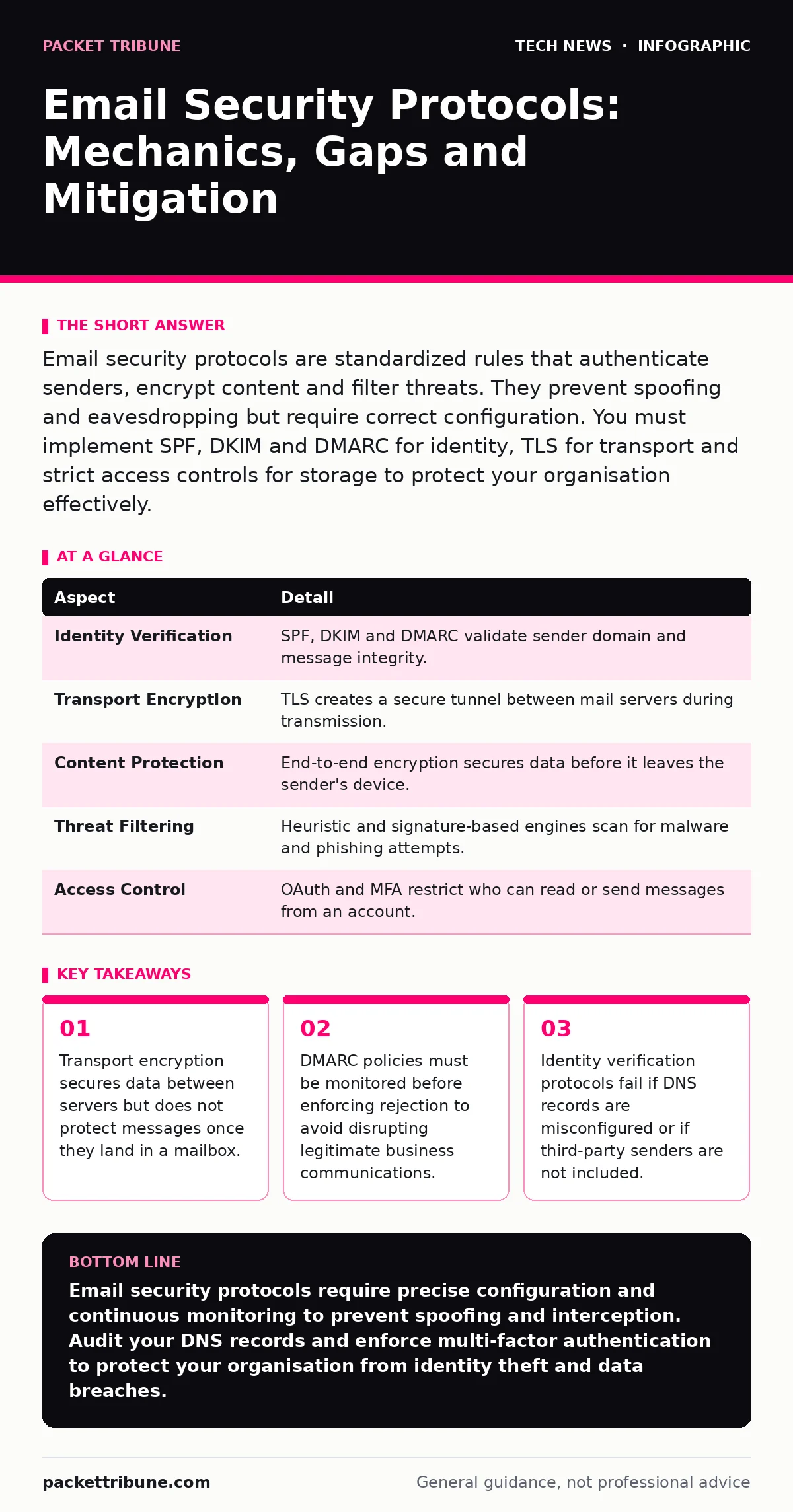
Email security protocols are standardized rules that authenticate senders, encrypt content and filter threats. They prevent spoofing and eavesdropping but require correct configuration. You must implement SPF, DKIM and DMARC for identity, TLS for transport and strict access controls for storage to protect your organisation effectively.
The Post Office Analogy for Digital Messaging
Imagine sending a sealed letter through a traditional post office. The envelope protects the contents from casual viewing, and the return address identifies the sender. Email security protocols function similarly but with cryptographic precision. They verify that the sender is who they claim to be, ensure the message is not altered in transit and prevent unauthorised interception. This analogy helps administrators visualise the separation between identity verification and content protection.
The post office does not read the letter, nor does it verify the signature on the return address without additional tools. Similarly, basic email transmission lacks inherent security. You must add specific protocols to create trust and confidentiality. Each protocol addresses a different vulnerability in the communication chain. Understanding these distinct roles prevents the common mistake of assuming one tool solves all problems.
How Email Security Protocols Operate
Email security protocols work by adding cryptographic headers and encrypted tunnels to standard Simple Mail Transfer Protocol (SMTP) traffic. SMTP is the foundational protocol for sending email but transmits data in plain text by default. Without additional layers, anyone with access to the network path can read or modify the message. Security protocols add verification steps that receivers use to validate the sender and the content integrity.
The process begins with identity checks. The receiving server queries public Domain Name System (DNS) records to confirm the sender's right to use their domain. If the checks pass, the server may then establish an encrypted connection to transfer the message. If the checks fail, the server can reject, quarantine or mark the message as suspicious. This layered approach ensures that even if one check fails, others may still catch malicious activity.
| Aspect | Detail |
|---|---|
| Identity Verification | SPF, DKIM and DMARC validate sender domain and message integrity. |
| Transport Encryption | TLS creates a secure tunnel between mail servers during transmission. |
| Content Protection | End-to-end encryption secures data before it leaves the sender's device. |
| Threat Filtering | Heuristic and signature-based engines scan for malware and phishing attempts. |
| Access Control | OAuth and MFA restrict who can read or send messages from an account. |
Identity Verification: SPF, DKIM and DMARC
Sender Policy Framework (SPF) lists the IP addresses authorised to send email for a domain. When a receiver gets a message, it checks the sender's IP against this published list. If the IP is not listed, the message fails the SPF check. This prevents attackers from forging the "envelope sender" address. However, SPF does not protect the "header from" address, which is what users actually see in their inbox.
DomainKeys Identified Mail (DKIM) adds a cryptographic signature to the message headers. The sender signs the message with a private key, and the receiver verifies it using a public key published in DNS. This ensures the message has not been altered since it was signed. DKIM protects the integrity of the headers and body. It works even if the message passes through intermediate servers that modify certain fields, provided those changes are expected.
Domain-based Message Authentication, Reporting and Conformance (DMARC) ties SPF and DKIM together. It tells receivers what to do if a message fails authentication. You can set the policy to "none" for monitoring, "quarantine" to send failures to spam, or "reject" to block them entirely. DMARC also provides reporting, allowing you to see who is sending email on your behalf. This visibility is critical for identifying misconfigured third-party services.
Transport Layer Security and Data in Motion
Transport Layer Security (TLS) encrypts the connection between mail servers. When two servers communicate, they negotiate a TLS session. If successful, all data transferred during that session is encrypted. This prevents network eavesdropping and man-in-the-middle attacks. Most major email providers support TLS, but not all servers do. If a server does not support TLS, the message may be sent in plain text.
You can enforce strict TLS policies to reject messages that cannot be encrypted. This ensures high security but may cause delivery failures if the recipient's server is misconfigured or offline. A balanced approach uses opportunistic TLS, which attempts encryption but falls back to plain text if it fails. This maintains deliverability while protecting most traffic. You should monitor TLS usage logs to identify servers that consistently fail to encrypt.
The security of TLS depends on the validity of the certificates presented by the servers. TLS certificates prove the identity of the server. If an attacker obtains a valid certificate for a domain, they can impersonate the server. You must keep certificates up to date and use strong cryptographic algorithms. Weak ciphers or expired certificates create vulnerabilities that attackers can exploit to intercept communications.
Common Misconfigurations and Hidden Costs
Many organisations assume that installing security software is sufficient. This is a dangerous misconception. Protocols require precise configuration and ongoing maintenance. A single typo in a DNS record can disable SPF or DKIM. If your SPF record contains an error, all your email may be rejected. Similarly, if your DKIM key expires, messages will fail verification. You must audit these records regularly.
Another hidden cost is the complexity of third-party integrations. Every service that sends email on your behalf must be included in your SPF record and signed with DKIM. If you add a new service without updating these records, you break authentication. This leads to deliverability issues and potential security gaps. You need a process for reviewing and updating DNS records whenever you change vendors.
People also overlook the security of stored email. Transport encryption protects data in transit, but once the message lands in the mailbox, it is subject to access controls. If an attacker compromises a user's credentials, they can read all stored emails regardless of TLS usage. You must implement strong authentication for mailbox access. This includes multi-factor authentication and strict password policies.
See also: Wifi router security: Stop hidden admin access from leaking data · OAuth vs API Key: When to Use Tokens and When to Use Secrets
Integrating with Broader Security Frameworks
Email security does not exist in isolation. It intersects with other security domains. For instance, digital signatures provide non-repudiation, ensuring the sender cannot deny sending the message. This is useful for legal and compliance purposes. You can combine DKIM with digital signatures for enhanced assurance. Similarly, access to email accounts often relies on OAuth, which delegates authentication to an identity provider.
Secure software development practices are relevant when building internal email tools or integrations. If your applications send email, they must handle credentials and keys securely. Hardcoding keys or using weak encryption in your code creates vulnerabilities. You should follow secure coding standards to prevent these issues. Additionally, if you use open-source software security practices, you must monitor for vulnerabilities in the libraries your email systems depend on.
Data at rest must also be protected. If an attacker gains access to your mail server storage, they can read all stored messages. You should use AES encryption for data at rest. This ensures that even if the physical storage is stolen, the data remains unreadable without the decryption key. Combining transport encryption, identity verification and storage encryption creates a defence-in-depth strategy.
What To Do About It
Start by auditing your current DNS records. Ensure SPF, DKIM and DMARC are correctly configured for all your domains. Use DMARC monitoring to identify unauthorised senders. Gradually tighten your DMARC policy as you fix misconfigurations. Enable TLS encryption for all outbound and inbound email connections. Monitor for failures and address them promptly.
Implement multi-factor authentication for all user accounts. This prevents credential theft from leading to mailbox compromise. Train users to recognise phishing attempts, as technical controls cannot catch all social engineering attacks. Regularly review third-party integrations and update your SPF and DKIM records accordingly. Treat email security as an ongoing process, not a one-time setup.
Key takeaways
- Transport encryption secures data between servers but does not protect messages once they land in a mailbox.
- DMARC policies must be monitored before enforcing rejection to avoid disrupting legitimate business communications.
- Identity verification protocols fail if DNS records are misconfigured or if third-party senders are not included.
Email security protocols require precise configuration and continuous monitoring to prevent spoofing and interception. Audit your DNS records and enforce multi-factor authentication to protect your organisation from identity theft and data breaches.
Frequently asked questions
What is the difference between SPF and DKIM?
SPF verifies the sending server's IP address against a published list, while DKIM adds a cryptographic signature to the message headers to ensure content integrity. SPF checks who sent the email, and DKIM checks if the message was altered.
Can DMARC prevent all phishing attacks?
DMARC prevents attacks that forge your domain name, but it does not stop phishing using other domains or social engineering tactics. You must combine DMARC with user training and other security measures for comprehensive protection.
How often should I update my SPF records?
You should update SPF records whenever you add or remove third-party email services. Regular audits, such as quarterly reviews, help ensure accuracy and prevent misconfigurations from causing deliverability issues or security gaps.
Does TLS encryption protect email stored in my mailbox?
No, TLS only encrypts data while it is being transmitted between servers. Once the message is stored in your mailbox, it is subject to your storage security measures. You need additional encryption for data at rest to protect stored messages.
How this guide was produced: written by the Packet Tribune editorial team with AI assistance, checked against the public references listed below, and reviewed when the facts change. See our editorial policy or report an error.