How a mobile device management system secures corporate data
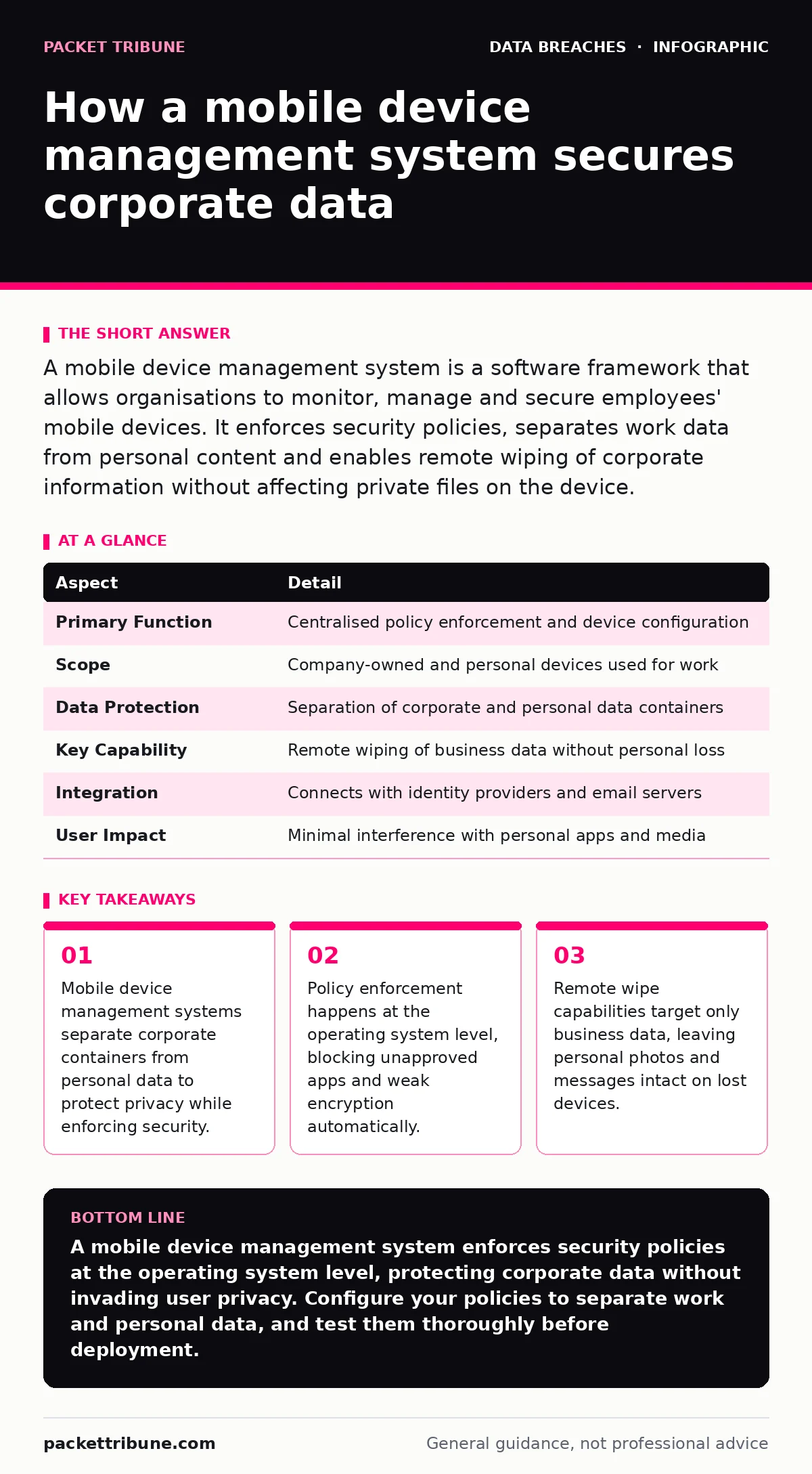
A mobile device management system enforces policy at the operating system level, preventing data loss even when users ignore security warnings or lose their phones.
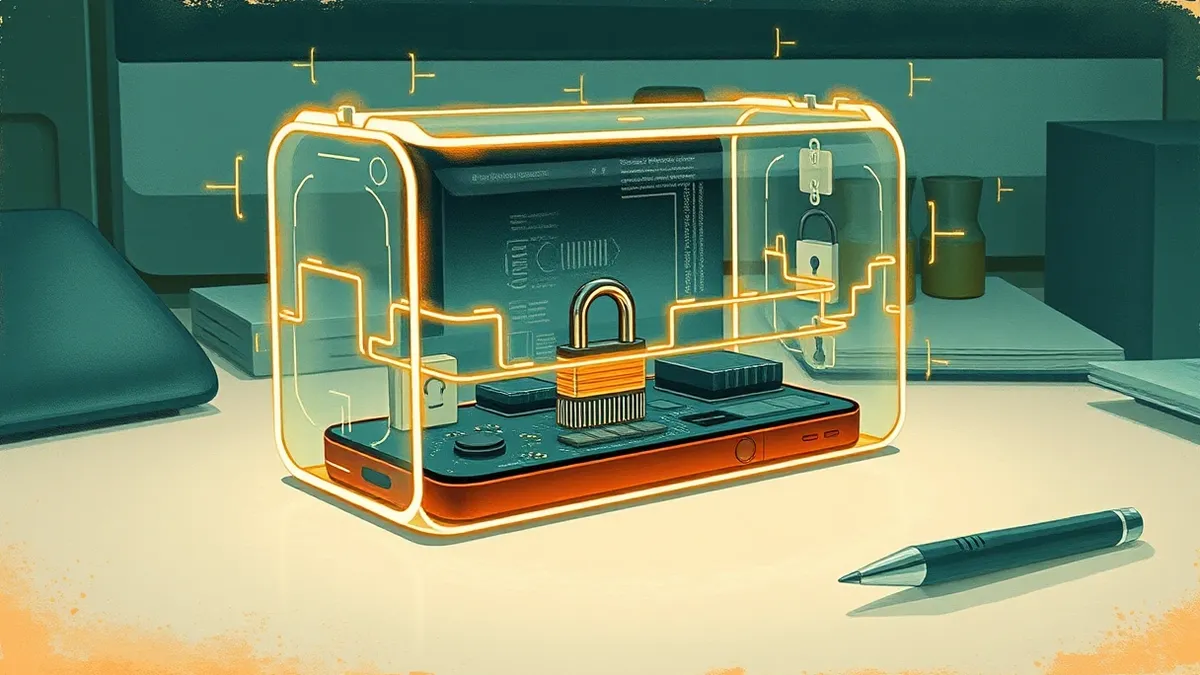
A mobile device management system is a software framework that allows organisations to monitor, manage and secure employees' mobile devices. It enforces security policies, separates work data from personal content and enables remote wiping of corporate information without affecting private files on the device.
The traffic light analogy for device control
Imagine a city with strict traffic laws. The roads are the network, the cars are the devices and the traffic lights are the policies. Without a central authority, drivers decide when to stop or go. Some run red lights. Some drive without insurance. A mobile device management system acts as the automated traffic control. It ensures every vehicle meets safety standards before entering the highway. It stops unsafe drivers immediately. This prevents collisions and keeps the flow of data moving securely.
What is a mobile device management system
A mobile device management system is a centralised software solution that administers mobile devices such as smartphones, tablets and laptops. It allows administrators to enforce security policies, deploy applications and manage data remotely. The system does not require you to own the device. It works on company-owned phones and on personal devices used for work. This flexibility is known as bring your own device. The core function is policy enforcement. You define the rules. The software applies them consistently across every connected endpoint.
| Aspect | Detail |
|---|---|
| Primary Function | Centralised policy enforcement and device configuration |
| Scope | Company-owned and personal devices used for work |
| Data Protection | Separation of corporate and personal data containers |
| Key Capability | Remote wiping of business data without personal loss |
| Integration | Connects with identity providers and email servers |
| User Impact | Minimal interference with personal apps and media |
How the enforcement mechanism works
The system operates by installing a lightweight agent on the device. This agent communicates with a central console. You configure the console with specific rules. These rules might require a minimum password complexity. They might mandate full-disk encryption. They might block the installation of untrusted applications. The agent checks the device state against these rules. If the device fails a check, the agent restricts access. It might block email until the user sets a stronger password. It might prevent access to files if the operating system is outdated. This happens automatically. You do not need to call the user. The device self-corrects or locks itself out.
This mechanism relies on the operating system’s security features. Modern mobile operating systems provide APIs for these controls. The management system uses these APIs to enforce boundaries. For example, the system can create a secure workspace. This workspace holds all work-related apps and data. It is encrypted separately from the rest of the phone. If you lose the phone, you can wipe this workspace. Your personal photos and contacts remain safe. This separation is critical for user acceptance. People are more willing to use security tools when their privacy is respected.
Who is affected by these policies
The primary stakeholders are the organisation and the device user. The organisation gains visibility into its digital estate. It knows which devices connect to its servers. It knows if those devices are vulnerable. It can prove compliance with data protection regulations. This reduces the risk of unauthorized access to sensitive systems. The user gains a level of protection. The system prevents malware from installing silently. It ensures the device stays updated with security patches.
However, the user also experiences constraints. They cannot install certain apps. They must use strong passwords. They may notice battery drain from the background agent. This friction is a trade-off. Security requires control. The more control you exert, the more friction you create. You must balance safety with usability. If the system is too restrictive, users will try to bypass it. They might use personal accounts for work. They might print documents instead of emailing them. This creates shadow IT. Shadow IT is harder to secure. It is invisible to your monitoring tools.
Common misconceptions about device control
Many organisations believe that a mobile device management system monitors everything the user does. This is incorrect. Standard systems do not read personal messages. They do not track location unless you explicitly configure it for asset recovery. They do not view personal photos. They focus on corporate data and device health. This distinction is vital for trust. If users believe you are spying on them, they will resist the technology.
Another common error is assuming that installation equals security. Installing the agent does not secure the device. You must configure the policies correctly. Weak policies provide a false sense of security. You might allow weak passwords. You might permit unencrypted connections. The system will enforce these weak rules. You must review your policies regularly. You must align them with your risk appetite. You must update them as threats evolve. A static policy becomes obsolete quickly.
See also: How Trusted Platform Modules Work and Their Hidden Limits
What to do about implementation
Start by defining your data classification. Not all data needs the same protection. Identify what is truly sensitive. Create policies that protect this data. Use the principle of least privilege. Grant access only to those who need it. Restrict data movement. Prevent copying work files to personal clouds. Use app wrapping to add security layers to applications. This prevents screenshots and data leakage.
Communicate clearly with your users. Explain why the system is necessary. Explain what it does and what it does not do. Address privacy concerns directly. Show them how to recover their personal data if they lose their device. Transparency builds trust. Trust increases adoption. High adoption rates mean fewer unmanaged devices. Fewer unmanaged devices mean fewer vulnerabilities.
Regularly audit your device inventory. Remove devices that are no longer in use. Decommission old policies. Review logs for anomalies. Look for repeated failed login attempts. Look for devices connecting from unusual locations. These are signs of compromise. Investigate promptly. Use the system to isolate the device. Prevent it from spreading malware to other endpoints.
Integration with broader security strategy
A mobile device management system does not work in isolation. It must integrate with your identity provider. This allows single sign-on. It ensures that if a user’s account is disabled, their device access is revoked immediately. It must integrate with your email server. This allows you to push policies to email clients. It must integrate with your threat detection tools. This allows you to correlate device events with network events.
Consider the human element. People are complex. They make mistakes. They forget passwords. They click on links. Your system must account for this. Provide clear error messages. Offer easy recovery paths. Do not punish users for honest mistakes. Punishment drives insecurity. It encourages hiding problems. You want users to report issues. You want them to ask for help.
Protecting sensitive personal data
When managing personal devices, you must be careful with sensitive personal data. The system should not collect personal information. It should only collect device health data. This includes operating system version. It includes installed applications. It includes encryption status. It should not collect contact lists. It should not collect browsing history. It should not collect location data unless necessary for asset recovery.
This distinction protects you from legal liability. It protects your users from privacy violations. It builds trust. Trust is the foundation of security. Without trust, users will find ways to bypass your controls. They will use unofficial channels. They will store data in unsecured places. This increases your risk. It exposes you to data breaches. It exposes you to fines. It damages your reputation.
Respect the boundary between work and life. The system should enforce this boundary. It should keep work data in a secure container. It should keep personal data in a separate space. It should not mix them. This separation makes management easier. It makes wiping safer. It makes users feel secure. They know their private life remains private.
Key takeaways
- Mobile device management systems separate corporate containers from personal data to protect privacy while enforcing security.
- Policy enforcement happens at the operating system level, blocking unapproved apps and weak encryption automatically.
- Remote wipe capabilities target only business data, leaving personal photos and messages intact on lost devices.
A mobile device management system enforces security policies at the operating system level, protecting corporate data without invading user privacy. Configure your policies to separate work and personal data, and test them thoroughly before deployment.
Frequently asked questions
Can a mobile device management system read my personal emails?
No, standard systems do not access personal email accounts. They only manage corporate email clients and enforce security policies on work-related applications.
Does the system track my location?
Location tracking is optional and usually disabled. It is only enabled if you explicitly configure it for asset recovery of lost or stolen devices.
Can I remove the management system from my personal phone?
Yes, you can usually uninstall the agent. However, this will remove all corporate data and access to work applications. You must re-enrol to regain access.
What happens if I lose my phone?
You can trigger a remote wipe of the corporate container. This erases work data while keeping your personal photos, contacts and apps intact on the device.
How this guide was produced: written by the Packet Tribune editorial team with AI assistance, checked against the public references listed below, and reviewed when the facts change. See our editorial policy or report an error.