Web Filtering Mistakes That Leave Networks Exposed
Over-reliance on category lists creates blind spots where modern threats hide, while excessive blocking disrupts business operations and drives users to bypass controls.

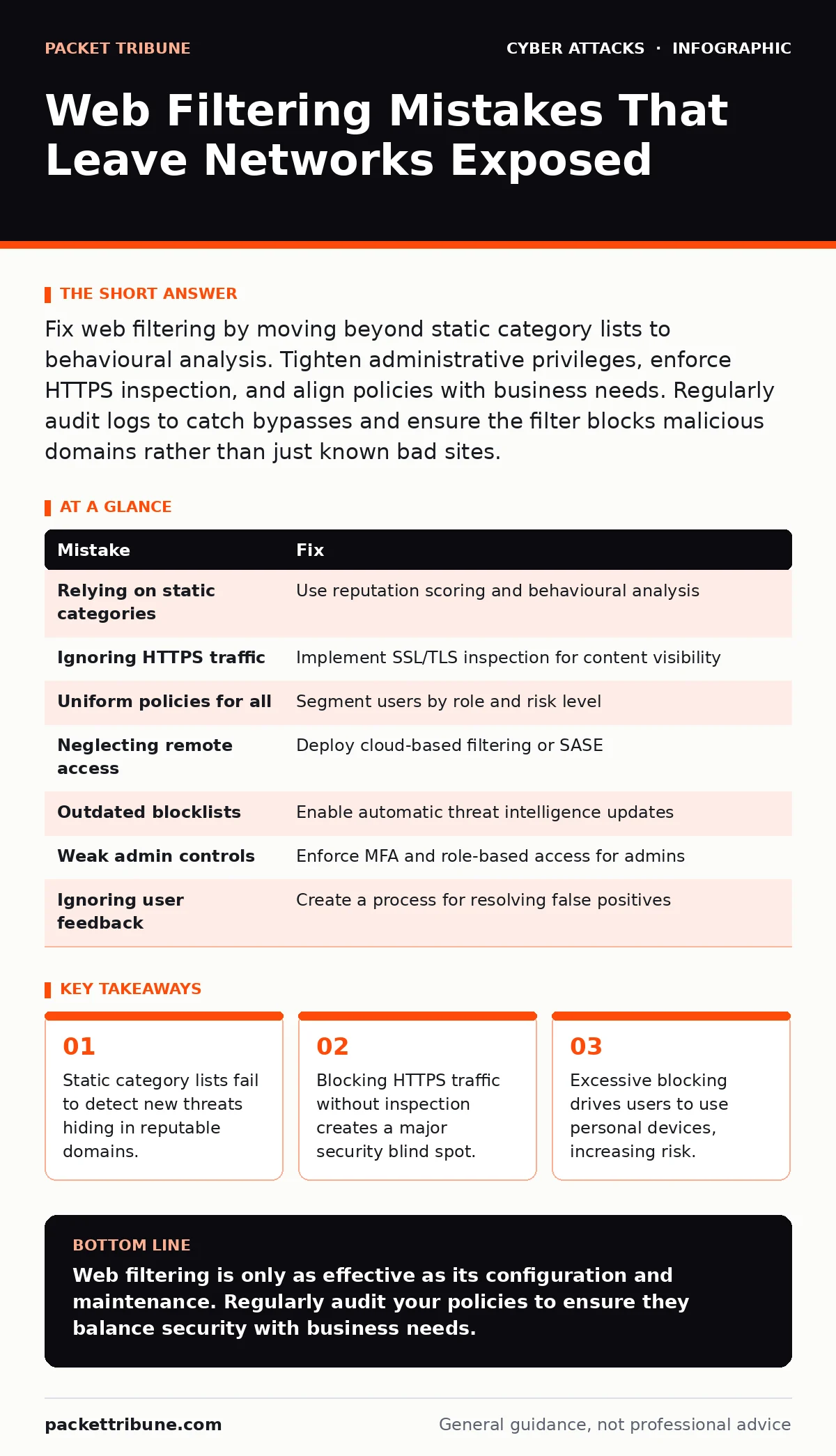
Fix web filtering by moving beyond static category lists to behavioural analysis. Tighten administrative privileges, enforce HTTPS inspection, and align policies with business needs. Regularly audit logs to catch bypasses and ensure the filter blocks malicious domains rather than just known bad sites.
Mistake 1: Relying Solely on Static Category Lists
Web filters often classify websites into broad categories such as social media, gambling, or news. Administrators block entire categories to save time. This approach assumes that every site in a category is equally risky or safe. It ignores the nuance of individual domains and subdomains.
Why it hurts:
Threat actors register domains that mimic reputable services. A static list may allow a phishing site hosted on a legitimate cloud platform. Conversely, blocking a whole category may prevent access to critical business tools. This creates a false sense of security while leaving specific vectors open.
The fix:
Combine category filtering with reputation scoring. Use a solution that evaluates the behaviour of a domain in real time. Check for recent registration dates, hosting location changes, and SSL certificate anomalies. This adds a layer of detection that static lists cannot provide.
Mistake 2: Ignoring HTTPS Encryption Without Inspection
Most web traffic is now encrypted using HTTPS. Standard web filters see only the destination domain, not the content. Without decrypting the traffic, the filter cannot inspect URLs, headers, or payloads. It relies entirely on the domain reputation.
Why it hurts:
Malicious payloads can be delivered from domains with good reputations. Encrypted channels also hide command-and-control communications. Attackers exploit this blind spot to exfiltrate data or download malware. The filter remains unaware of the malicious activity occurring within the secure tunnel.
The fix:
Implement SSL/TLS inspection. The proxy decrypts traffic, inspects it, and re-encrypts it before sending it to the user. This allows the filter to see the actual content. Balance this with privacy policies. Exclude sensitive traffic like healthcare or banking portals from inspection to maintain trust and compliance.
Mistake 3: Applying One Policy to All Users
Organisations often apply a single web filtering policy to every employee. Developers need access to code repositories. Marketing teams need social media for campaigns. Finance staff need banking portals. A uniform policy restricts legitimate work or allows unnecessary risk.
Why it hurts:
Overly restrictive policies frustrate employees. They seek workarounds, such as using personal mobile data or unauthorized USB drives. This creates shadow IT channels that bypass security controls entirely. Under-restrictive policies for some groups may expose critical systems to unnecessary threats.
The fix:
Segment users based on roles and risk. Create distinct policies for high-risk groups like executives and low-risk groups like general staff. Allow necessary business applications while blocking high-risk categories for non-essential users. Regularly review these segments to ensure they align with current business processes.
Mistake 4: Neglecting Mobile and Remote Access
Traditional web filters sit at the network perimeter. Employees working remotely or using mobile devices often bypass this perimeter. They connect via cellular networks or home Wi-Fi. The corporate filter does not inspect this traffic.
Why it hurts:
Remote users become the weakest link. They can access malicious sites without corporate protection. If they bring infected devices back onto the corporate network, the threat spreads. This undermines the entire web filtering strategy for the organisation.
The fix:
Deploy cloud-based web filtering or use a Secure Access Service Edge (SASE) solution. These services route traffic through a secure cloud proxy regardless of the user's location. Ensure mobile device management policies enforce the use of the corporate proxy for all internet traffic.
Mistake 5: Failing to Update Blocklists and Rules
Web filtering relies on databases of known malicious domains and IPs. These lists change daily. New threats emerge, and old ones become benign. If the filter does not update automatically, it uses outdated information.
Why it hurts:
Stale blocklists allow known bad domains to pass through. They may also block domains that have changed ownership and are now legitimate. This increases false positives and reduces the effectiveness of the filter. Users lose trust in the system when legitimate sites are blocked.
The fix:
Enable automatic updates for all threat intelligence feeds. Verify that the filter vendor provides frequent updates. Monitor update logs to ensure the system is receiving new data. Test the filter regularly against known malicious domains to verify its effectiveness.
See also: HTTP Security Headers Explained: The Digital Envelope Metaphor · Cross-Site Request Forgery Prevention Checklist for Secure Web Apps
Mistake 6: Overlooking Administrative Privileges
Administrators have full access to the web filtering system. They can disable rules, whitelist domains, or export logs. If an attacker compromises an admin account, they can bypass all controls. This is a critical vulnerability in many deployments.
Why it hurts:
A compromised admin account allows attackers to whitelist malicious domains. They can disable logging to hide their activities. This gives them persistent access to the network. The filter becomes useless against sophisticated attackers who target administrative accounts.
The fix:
Enforce strict access controls for the filtering system. Use multi-factor authentication for admin logins. Implement role-based access control so only specific personnel can change rules. Monitor admin actions closely. Any change to the configuration should trigger an alert.
Mistake 7: Ignoring User Feedback and False Positives
Users report blocked sites that are necessary for their work. IT teams often dismiss these reports as attempts to bypass security. This leads to a backlog of unresolved issues. Frustrated users find ways to circumvent the filter.
Why it hurts:
Unresolved false positives reduce productivity. Employees waste time waiting for approvals or finding workarounds. This creates a culture of distrust between IT and business units. It also increases the risk of users adopting unsafe practices to get their work done.
The fix:
Establish a clear process for handling false positive reports. Investigate each claim promptly. If a site is legitimate, add it to a allowlist. Communicate the decision to the user. This builds trust and ensures the filter supports business goals rather than hindering them.
| Mistake | Fix |
|---|---|
| Relying on static categories | Use reputation scoring and behavioural analysis |
| Ignoring HTTPS traffic | Implement SSL/TLS inspection for content visibility |
| Uniform policies for all | Segment users by role and risk level |
| Neglecting remote access | Deploy cloud-based filtering or SASE |
| Outdated blocklists | Enable automatic threat intelligence updates |
| Weak admin controls | Enforce MFA and role-based access for admins |
| Ignoring user feedback | Create a process for resolving false positives |
Key takeaways
- Static category lists fail to detect new threats hiding in reputable domains.
- Blocking HTTPS traffic without inspection creates a major security blind spot.
- Excessive blocking drives users to use personal devices, increasing risk.
Web filtering is only as effective as its configuration and maintenance. Regularly audit your policies to ensure they balance security with business needs.
Frequently asked questions
How does web filtering differ from a firewall?
A firewall controls traffic based on ports and protocols. Web filtering inspects HTTP and HTTPS traffic to block specific websites or content types. They work together to provide defense in depth.
Can web filtering prevent account takeover?
Web filtering can block phishing sites that steal credentials. It does not prevent account takeover if credentials are stolen via other means, such as vishing or malware.
Does SSL inspection violate privacy?
SSL inspection decrypts traffic, which can reveal sensitive information. Organisations must have clear policies and legal basis for inspection. Exclude sensitive traffic to mitigate privacy concerns.
How often should filtering rules be reviewed?
Review rules quarterly or after significant changes in business processes. Ensure that allowlists and blocklists remain relevant. Remove outdated rules to reduce complexity.
How this guide was produced: written by the Packet Tribune editorial team with AI assistance, checked against the public references listed below, and reviewed when the facts change. See our editorial policy or report an error.