Detecting Fileless Malware: Log Signals and Execution Traps
Fileless malware hides in memory, bypassing file scanners by executing code directly in system processes, requiring behavioural monitoring rather than signature matching.

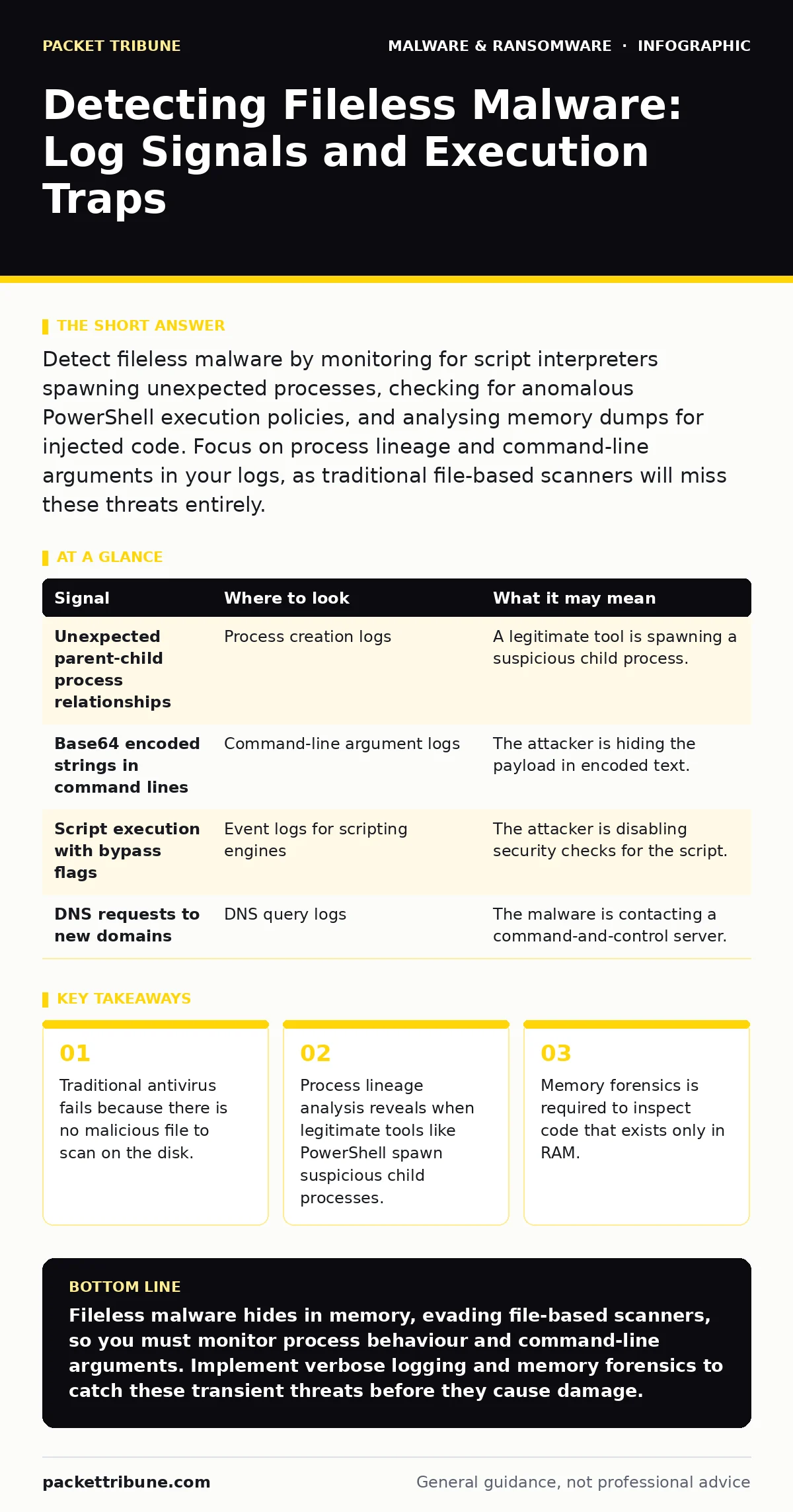
Detect fileless malware by monitoring for script interpreters spawning unexpected processes, checking for anomalous PowerShell execution policies, and analysing memory dumps for injected code. Focus on process lineage and command-line arguments in your logs, as traditional file-based scanners will miss these threats entirely.
The Illusion of No File
Fileless malware does not write a malicious executable to your hard drive. Instead, it uses legitimate system tools to execute code directly in the computer’s memory. This technique exploits the trust the operating system places in built-in utilities. You are not fighting a virus file; you are fighting a sequence of commands.
The threat sits in RAM, the temporary workspace of your computer. Once the power cuts or the system restarts, the malicious code vanishes. This transient nature makes it difficult to find using standard disk scanners. You must shift your focus from the file system to the running processes.
Scripting Languages as Attack Vectors
Attackers often use scripting languages already present on the system. PowerShell, Python, and VBScript are powerful tools for administration. They are also ideal for delivering malicious payloads without touching the disk. These scripts can download and execute other code in memory.
When you see a script interpreter running, ask why. Legitimate administration tasks usually happen during maintenance windows. Random script execution during business hours is a red flag. The script may be encoding its payload to avoid simple text searches. This is known as obfuscation, which hides the true intent of the code.
Process Injection and Living Off the Land
A common tactic is process injection. The attacker takes a legitimate process, such as a web browser or a system service, and inserts malicious code into its memory space. The process continues to run, but it now performs hidden actions.
This method relies on Living Off the Land techniques. Attackers use tools that are signed by the operating system vendor. Because the tool is legitimate, security software often allows it to run. The danger lies in what the tool does, not who made it. You must monitor the behaviour of trusted binaries, not just their presence.
Signals in the Logs
Your logs contain the footprint of these attacks. You need to look for anomalies in process creation and command-line arguments. A single event is rarely conclusive. You must correlate multiple events to build a picture of the attack.
| Signal | Where to look | What it may mean |
|---|---|---|
| Unexpected parent-child process relationships | Process creation logs | A legitimate tool is spawning a suspicious child process. |
| Base64 encoded strings in command lines | Command-line argument logs | The attacker is hiding the payload in encoded text. |
| Script execution with bypass flags | Event logs for scripting engines | The attacker is disabling security checks for the script. |
| DNS requests to new domains | DNS query logs | The malware is contacting a command-and-control server. |
The Role of Memory Forensics
Since the malware lives in RAM, you must inspect memory to find it. Memory forensics involves capturing a snapshot of the system’s memory and analysing it. This reveals code that never touched the disk.
You can look for unusual modules loaded into legitimate processes. You can also search for strings that match known malicious patterns. This is more complex than file analysis. It requires specialised tools and skills. However, it is the only way to confirm a fileless infection in many cases.
See also: Screen Locker Ransomware Mechanics: How It Bypasses OS Controls · Browser Isolation: Definition, Purpose and Architecture Explained
Common Blind Spots
Many organisations miss fileless attacks because they focus on the wrong data. A major blind spot is ignoring command-line arguments. Many log collectors strip these arguments to save space or for privacy. Without them, you cannot see what the script was actually doing.
Another blind spot is the assumption that internal traffic is safe. Fileless malware often communicates with external servers. If your network monitoring does not inspect encrypted traffic, you will miss these connections. You must balance privacy with the need to see the destination of network requests.
Building a Detection Strategy
You need to integrate multiple data sources. Extended detection and response (XDR) platforms can correlate endpoint, network, and cloud data. This gives you a broader view of the attack. You can see the connection between a script execution and a network request.
Implement behaviour-based detection rules. These rules look for unusual actions rather than known signatures. For example, flag any PowerShell script that attempts to download a file. This approach catches new variants of malware. It reduces the reliance on keeping up with every new threat signature.
Validating Your Defences
Regular testing is necessary to ensure your detection works. You can simulate fileless attacks in a controlled environment. This helps you tune your alerts and reduce false positives. You must verify that your logs capture the necessary details.
Review your incident response plans. Ensure your team knows how to analyse memory dumps. They should understand how to trace process lineage. This preparation reduces the time it takes to identify and contain an attack.
The Limits of Visibility
No solution provides complete protection. Fileless malware evolves to bypass new detection methods. You must continuously update your monitoring rules. You must also keep your systems patched. Unpatched vulnerabilities can provide the initial entry point for the attacker.
Focus on reducing the attack surface. Limit the use of administrative privileges. Restrict the execution of scripts to authorised users only. These measures make it harder for the attacker to execute their code.
Key takeaways
- Traditional antivirus fails because there is no malicious file to scan on the disk.
- Process lineage analysis reveals when legitimate tools like PowerShell spawn suspicious child processes.
- Memory forensics is required to inspect code that exists only in RAM.
Fileless malware hides in memory, evading file-based scanners, so you must monitor process behaviour and command-line arguments. Implement verbose logging and memory forensics to catch these transient threats before they cause damage.
Frequently asked questions
Can antivirus software detect fileless malware?
Traditional antivirus relies on file signatures, so it often misses fileless malware. Modern solutions with behavioural analysis may detect suspicious activities, but they are not foolproof.
What is process injection?
Process injection is a technique where malicious code is inserted into the memory space of a running legitimate process, allowing it to execute hidden tasks.
Why are command-line arguments important?
Command-line arguments show the specific commands executed by a process. Analysing them helps identify malicious scripts and encoded payloads that would otherwise look like normal activity.
How do I enable verbose PowerShell logging?
You can enable verbose logging through Group Policy or registry settings. This captures detailed information about script execution, including the commands run and their arguments.
How this guide was produced: written by the Packet Tribune editorial team with AI assistance, checked against the public references listed below, and reviewed when the facts change. See our editorial policy or report an error.