Seven Malware Analysis Mistakes That Compromise Evidence Integrity
Rushing execution without containment allows polymorphic code to mutate, erasing the digital fingerprints required for accurate attribution and remediation.

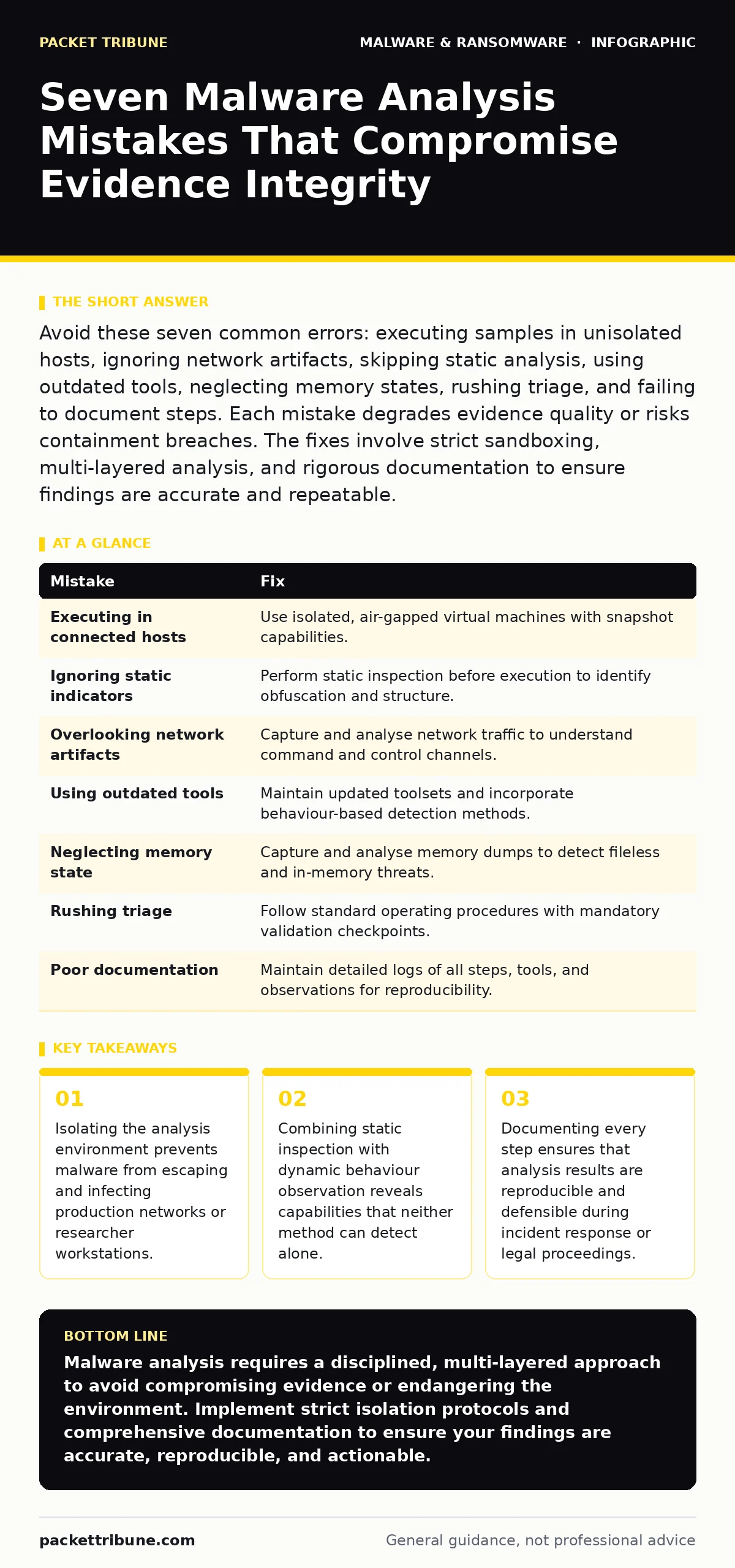
Avoid these seven common errors: executing samples in unisolated hosts, ignoring network artifacts, skipping static analysis, using outdated tools, neglecting memory states, rushing triage, and failing to document steps. Each mistake degrades evidence quality or risks containment breaches. The fixes involve strict sandboxing, multi-layered analysis, and rigorous documentation to ensure findings are accurate and repeatable.
Mistake 1: Executing Samples in Connected Hosts
Analysts sometimes run suspicious binaries directly on their primary workstation or a poorly segmented lab machine. This approach assumes the malware will remain dormant or fail to execute, ignoring the risk of active network propagation. Even if the sample is benign, the act of execution can trigger telemetry callbacks that alert threat actors to the analysis environment.
Why it hurts:
The immediate consequence is lateral movement within the analysis infrastructure. If the host has any network connectivity, the malware can exfiltrate data or recruit other machines into a botnet. Furthermore, the threat actor gains intelligence on your detection capabilities, allowing them to refine future campaigns to bypass your specific tools. This compromises the integrity of the entire security posture.
The fix:
Always execute samples in a fully isolated virtual machine with no network adapters attached. Use snapshot technology to revert the system state immediately after execution. This containment ensures that any malicious activity remains confined to the disposable environment, protecting your primary systems and preventing the leak of analytical metadata.
Mistake 2: Ignoring Static Indicators Before Execution
Jumping straight into dynamic analysis without first inspecting the file structure is a frequent oversight. Static analysis involves examining the binary code, headers, and resources without running the program. Skipping this step means missing obvious signs of packing, encryption, or known malicious signatures before the code ever executes.
Why it hurts:
You risk executing highly obfuscated code that may exploit vulnerabilities in your analysis tools themselves. Without static inspection, you miss the opportunity to identify fileless malware techniques or embedded scripts that do not appear in traditional process lists. This leads to incomplete understanding of the malware’s initial drop behaviour and persistence mechanisms.
The fix:
Perform a thorough static review using standard disassemblers and hex editors. Look for unusual section alignments, unexpected imports, or strings that indicate network activity. Refer to established methods for static malware analysis to identify artefacts that do not require execution. This preliminary step often reveals the malware’s intent without the risk of triggering its payload.
Mistake 3: Overlooking Network Artifacts
Focusing exclusively on local file system changes and process trees ignores the broader context of the attack. Malware often relies on network communications for command and control, data exfiltration, or downloading additional payloads. Failing to capture and analyse this traffic creates a blind spot in your understanding of the incident.
Why it hurts:
You cannot fully attribute the attack or understand its scope without network data. Missing these artifacts means you might remediate the local infection while the remote command server remains active, allowing reinfection. Additionally, network logs provide timestamps and destination IPs that are critical for correlating events across different systems in the organisation.
The fix:
Deploy packet capture tools at the virtual machine’s network interface during dynamic analysis. Analyse the captured traffic for DNS queries, HTTP requests, and unusual port usage. This data complements local findings by showing exactly where the malware attempts to communicate, enabling you to block these channels at the perimeter and prevent further contact.
Mistake 4: Using Outdated Analysis Tools
Relying on legacy disassemblers or signature-based scanners that have not been updated in years creates a false sense of security. Modern malware employs advanced obfuscation and anti-analysis techniques that older tools cannot parse correctly. This mismatch leads to misinterpretations of the code structure and function.
Why it hurts:
Outdated tools may fail to decompile modern code structures, resulting in incomplete or incorrect function names. This forces analysts to guess the purpose of code blocks, increasing the likelihood of false positives or negatives. Furthermore, older tools may lack support for new file formats or encryption standards, rendering them useless against contemporary threats.
The fix:
Maintain a repository of current analysis tools that are regularly updated to support the latest operating system features and coding standards. Incorporate behavior-based detection methods that monitor runtime actions rather than relying solely on static signatures. This ensures that your toolset can handle evolving malware techniques and provides more accurate insights into malicious behaviour.
Mistake 5: Neglecting Memory State Analysis
Analysts often focus on disk-based artefacts, ignoring the volatile memory of the infected system. Many modern threats, particularly fileless malware, reside entirely in memory during execution. They leave few or no traces on the hard drive, making them invisible to traditional file-scanning techniques.
Why it hurts:
You miss the active processes and injected code that are driving the malicious activity. Without memory analysis, you cannot identify the true extent of the infection or the specific APIs being called. This leads to incomplete remediation, as the malicious code remains in memory and can reinfect the system from residual components.
The fix:
Capture memory dumps of the analysis environment during and after execution. Use memory forensic tools to inspect running processes, loaded modules, and network connections. This reveals hidden code and injected libraries that do not exist on disk, providing a complete picture of the malware’s active behaviour and persistence mechanisms.
See also: Behavior-Based Detection for Small Business Security · Detecting Cyber Attacks on Railways: Early Signs and Response
Mistake 6: Rushing the Triage Process
Pressure to deliver quick results often leads analysts to skip detailed documentation and validation steps. Triage is the initial phase of analysis where the scope and nature of the sample are determined. Rushing this phase means missing subtle indicators that differentiate between benign errors and malicious intent.
Why it hurts:
Incomplete triage leads to misclassification of the threat. You might label a benign software bug as malware, wasting resources on false alarms, or miss a sophisticated threat because it mimics legitimate system processes. This undermines the credibility of the security team and delays the response to genuine incidents.
The fix:
Establish a standard operating procedure for triage that includes mandatory checkpoints. Document every observation, hypothesis, and test result. Take the time to validate findings against known benign behaviours and reference materials. This disciplined approach ensures that conclusions are based on evidence rather than assumption, improving the accuracy of your analysis.
Mistake 7: Failing to Document the Analysis Chain
Skipping detailed notes on the steps taken during analysis makes it impossible to reproduce results. Documentation is not just a record; it is a verification tool. Without a clear chain of evidence, other analysts cannot verify your findings or build upon your work.
Why it hurts:
Inconsistent documentation leads to confusion during incident response. If a second analyst attempts to verify the findings and cannot replicate the steps, the entire analysis is called into question. This delays remediation efforts and may lead to incorrect conclusions about the attack vector and impact.
The fix:
Maintain a detailed log of every action performed, including tool versions, configuration settings, and observed behaviours. Include screenshots, log excerpts, and network captures as supporting evidence. This documentation serves as a reference for future incidents and ensures that the analysis process is transparent and auditable.
| Mistake | Fix |
|---|---|
| Executing in connected hosts | Use isolated, air-gapped virtual machines with snapshot capabilities. |
| Ignoring static indicators | Perform static inspection before execution to identify obfuscation and structure. |
| Overlooking network artifacts | Capture and analyse network traffic to understand command and control channels. |
| Using outdated tools | Maintain updated toolsets and incorporate behaviour-based detection methods. |
| Neglecting memory state | Capture and analyse memory dumps to detect fileless and in-memory threats. |
| Rushing triage | Follow standard operating procedures with mandatory validation checkpoints. |
| Poor documentation | Maintain detailed logs of all steps, tools, and observations for reproducibility. |
Key takeaways
- Isolating the analysis environment prevents malware from escaping and infecting production networks or researcher workstations.
- Combining static inspection with dynamic behaviour observation reveals capabilities that neither method can detect alone.
- Documenting every step ensures that analysis results are reproducible and defensible during incident response or legal proceedings.
Malware analysis requires a disciplined, multi-layered approach to avoid compromising evidence or endangering the environment. Implement strict isolation protocols and comprehensive documentation to ensure your findings are accurate, reproducible, and actionable.
Frequently asked questions
How do I determine if a file is packed?
Check the entropy of the file sections; high entropy often indicates compression or encryption. Additionally, look for unusual section names or missing debug information in the header.
Can I use cloud-based sandboxes for analysis?
Cloud sandboxes are useful for initial triage but may not capture all behaviours, especially those that detect virtualisation. Use them as a first step, followed by deeper local analysis in a controlled environment.
What is the role of extended detection and response (XDR) in malware analysis?
XDR aggregates data from multiple sources, providing context that helps analysts understand the scope of an incident. It can highlight anomalies in network or endpoint behaviour that suggest malicious activity.
How do I handle malware that detects virtualisation?
Use hardware-based virtualisation or physical isolated machines that mimic real environments closely. Some tools can mask virtualisation indicators, but hardware isolation is generally more effective against sophisticated anti-analysis checks.
How this guide was produced: written by the Packet Tribune editorial team with AI assistance, checked against the public references listed below, and reviewed when the facts change. See our editorial policy or report an error.