DNSSEC Mistakes That Break Resolution and How to Fix Them
Incorrect DNSSEC deployment often causes service outages by generating cryptographic proof of non-existence for valid records, silencing your domains rather than securing them.

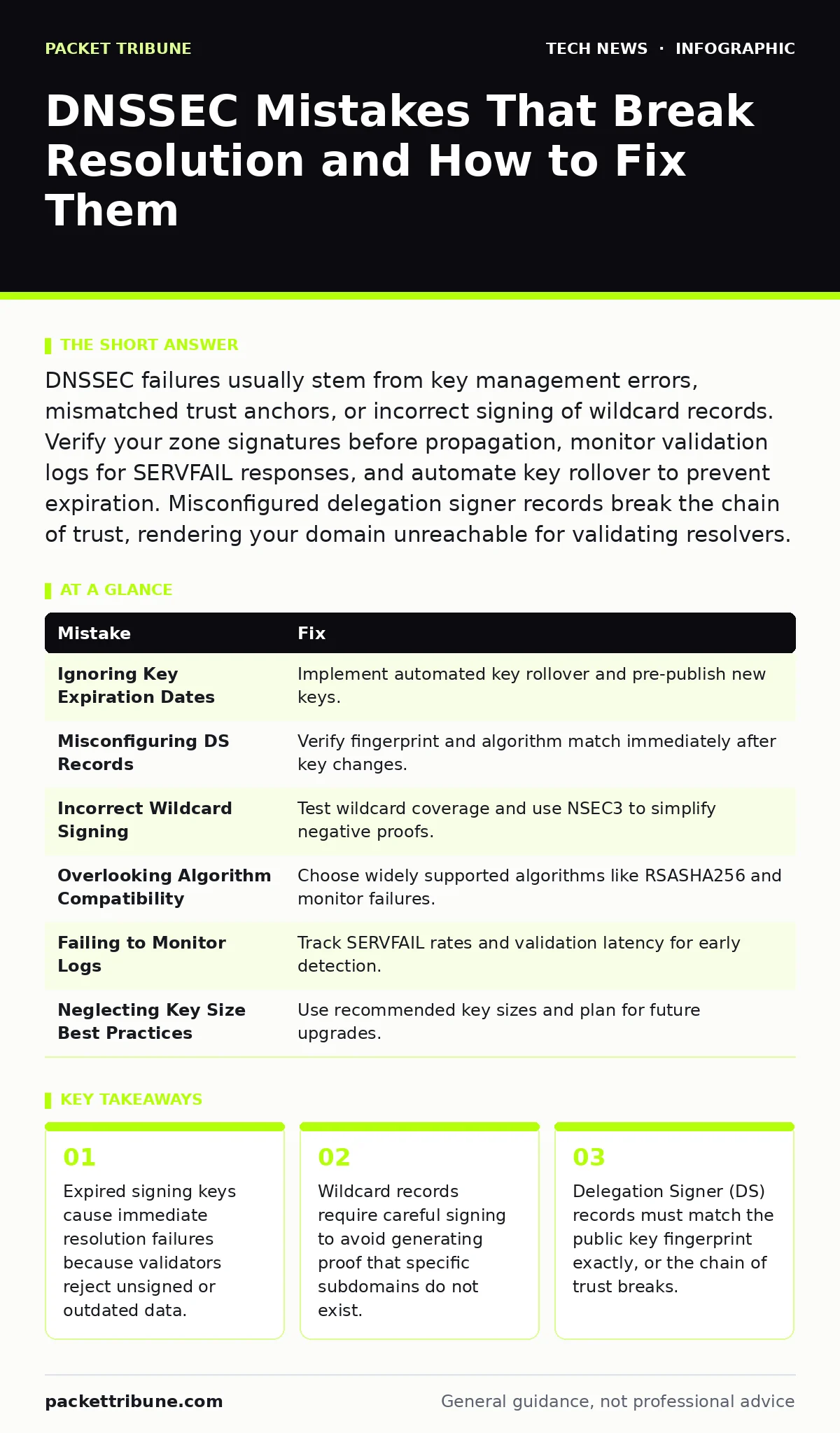
DNSSEC failures usually stem from key management errors, mismatched trust anchors, or incorrect signing of wildcard records. Verify your zone signatures before propagation, monitor validation logs for SERVFAIL responses, and automate key rollover to prevent expiration. Misconfigured delegation signer records break the chain of trust, rendering your domain unreachable for validating resolvers.
Mistake 1: Ignoring Key Expiration Dates
Digital signatures have a limited lifespan to limit the exposure window if a private key is compromised. When a Key Signing Key (KSK) or Zone Signing Key (ZSK) expires, the zone becomes invalid. Validators will refuse to serve the data, resulting in a SERVFAIL error for users. This is not a gradual degradation; it is a total outage for anyone using validating resolvers.
Why it hurts:
An expired key turns your security mechanism into a denial-of-service vector. Users with modern browsers or recursive DNS servers that enforce validation will see your domain as non-existent. This happens silently on the network side, often confusing support teams who can ping the server but cannot resolve the hostname via secure channels. The damage extends to reputation, as search engines and security tools may flag the domain as suspicious due to consistent resolution failures.
The fix:
Implement automated key rollover procedures that generate new keys before the old ones expire. Most DNSSEC tools allow you to pre-publish the new public key in the DNSKEY record set. This gives recursive servers time to cache the new key before you sign the zone with it. Monitor expiration dates through automated alerts, not manual calendar checks. Regular testing of the rollover process in a staging environment ensures the production switch remains smooth.
Mistake 2: Misconfiguring Delegation Signer Records
The Delegation Signer (DS) record lives in the parent zone and points to the child zone’s KSK. It acts as the anchor that allows the parent to vouch for the child’s authority. If the DS record does not match the current KSK fingerprint, the chain of trust is broken. This mismatch is a common error during key updates or zone transfers.
Why it hurts:
A broken DS record severs the cryptographic link between your domain and the root zone. Validating resolvers cannot verify the authenticity of your DNS records. This results in resolution failures that look identical to an expired key or a missing signature. The issue is particularly insidious because the domain works for non-validating resolvers, masking the problem until you test with a validator. This inconsistency makes troubleshooting difficult, as the fault lies in the parent zone’s configuration rather than your own.
The fix:
Verify the DS record fingerprint immediately after generating or rotating your KSK. Use standard tools to calculate the fingerprint and compare it against the DS record submitted to your registrar. Ensure that the algorithm identifier matches the key type. Automate the DS submission process where possible to reduce human error. Regularly audit the DS records in the parent zone to ensure they remain aligned with your current key set.
Mistake 3: Incorrect Wildcard Record Signing
Wildcard records match any subdomain that does not have an explicit record. Signing these requires care because the signature must cover the wildcard itself and any negative proofs for non-existent subdomains. Many administrators sign wildcards without understanding how NSEC or NSEC3 records interact with them.
Why it hurts:
Improperly signed wildcards can generate proof that a specific subdomain does not exist, even if it should. This occurs when the signing software fails to account for the wildcard’s coverage scope. Users attempting to access valid subdomains may receive NXDOMAIN errors. This mistake is subtle because the wildcard itself resolves correctly, but the cryptographic proof for its children is flawed. It undermines the integrity of your entire subdomain structure, potentially blocking access to critical services hosted on dynamic subdomains.
The fix:
Test wildcard signatures thoroughly in a non-production environment. Verify that queries for non-existent subdomains return the correct negative proof without invalidating existing records. Use NSEC3 instead of NSEC to hide the structure of your zone, which reduces the risk of zone walking and simplifies wildcard handling. Regularly review your wildcard policies to ensure they align with your operational needs. Document the expected behaviour of wildcard resolutions to aid in future troubleshooting.
Mistake 4: Overlooking Algorithm Compatibility
DNSSEC supports multiple cryptographic algorithms, such as RSASHA256 and ECDSAP256SHA256. Older resolvers may not support newer algorithms, leading to validation failures. Choosing an unsupported algorithm for your zone can exclude users with legacy DNS infrastructure.
Why it hurts:
Compatibility issues fragment your user base. Users with modern resolvers will access your domain securely, while those with older systems will face resolution failures or fall back to insecure resolution. This inconsistency complicates security monitoring and increases the risk of man-in-the-middle attacks for the insecure cohort. It also adds operational complexity, as you must maintain support for multiple algorithm versions. The hidden cost is the increased support burden from users reporting intermittent connectivity issues.
The fix:
Select algorithms that balance security with broad compatibility. RSASHA256 is widely supported and remains a safe default for most environments. If you adopt newer algorithms, monitor validation failure rates to identify affected users. Consider running dual algorithms during a transition period to ensure seamless migration. Refer to industry standards for algorithm support matrices to make informed decisions. Avoid niche algorithms unless you have a specific requirement that justifies the compatibility trade-off.
Mistake 5: Failing to Monitor Validation Logs
DNSSEC adds cryptographic overhead to every query, which can impact resolver performance. Without monitoring, you may miss signs of misconfiguration or increased validation times. Ignoring these metrics leaves you blind to potential issues until they cause outages.
Why it hurts:
Unmonitored validation logs hide the early signs of DNSSEC problems. Increased SERVFAIL rates or latency spikes often indicate key rollover issues or algorithm mismatches. By the time users report problems, the issue may have persisted for hours or days. This lack of visibility also affects your ability to measure the performance impact of DNSSEC on your infrastructure. You miss the opportunity to optimise your key sizes or signature algorithms for better efficiency.
The fix:
Integrate DNSSEC validation metrics into your existing monitoring stack. Track SERVFAIL rates, validation latency, and cache hit ratios for signed zones. Set up alerts for abnormal spikes in these metrics. Use these insights to fine-tune your DNSSEC configuration and key management practices. Regularly review logs to identify recurring issues and address them proactively. This approach aligns with broader website security strategies that rely on continuous monitoring.
See also: Encryption Key Management: How to Stop Keys from Becoming the Breach · Encryption at Rest: The Hidden Costs and Real Protection Limits
Mistake 6: Neglecting Key Size Best Practices
Key size determines the cryptographic strength of your signatures. Using keys that are too small risks brute-force attacks, while excessively large keys increase signature size and processing time. Many administrators stick to default sizes without considering their specific threat model or performance constraints.
Why it hurts:
Undersized keys compromise the long-term security of your zone. As computational power increases, previously secure key sizes become vulnerable. Oversized keys degrade performance, increasing latency for DNS queries and consuming more bandwidth. This trade-off is often overlooked, leading to either insecure configurations or unnecessary performance penalties. The hidden cost is the future migration effort required to upgrade keys once they become obsolete.
The fix:
Adopt key sizes recommended by current cryptographic standards, such as 2048-bit RSA or 256-bit ECDSA. Regularly review these recommendations as computational capabilities evolve. Plan for key size upgrades as part of your routine key management cycle. Test performance implications of larger keys in a staging environment before deployment. This practice complements broader secure software development principles that emphasise future-proofing against evolving threats.
| Mistake | Fix |
|---|---|
| Ignoring Key Expiration Dates | Implement automated key rollover and pre-publish new keys. |
| Misconfiguring DS Records | Verify fingerprint and algorithm match immediately after key changes. |
| Incorrect Wildcard Signing | Test wildcard coverage and use NSEC3 to simplify negative proofs. |
| Overlooking Algorithm Compatibility | Choose widely supported algorithms like RSASHA256 and monitor failures. |
| Failing to Monitor Logs | Track SERVFAIL rates and validation latency for early detection. |
| Neglecting Key Size Best Practices | Use recommended key sizes and plan for future upgrades. |
Key takeaways
- Expired signing keys cause immediate resolution failures because validators reject unsigned or outdated data.
- Wildcard records require careful signing to avoid generating proof that specific subdomains do not exist.
- Delegation Signer (DS) records must match the public key fingerprint exactly, or the chain of trust breaks.
Frequently asked questions
Does DNSSEC encrypt DNS traffic?
No, DNSSEC only provides authentication and integrity. It does not encrypt the data, so eavesdroppers can still read the queries and responses. Use DNS-over-HTTPS or DNS-over-TLS for encryption.
How often should I rotate DNSSEC keys?
Key Signing Keys should be rotated annually, while Zone Signing Keys can be rotated every few months or weekly. Automate this process to ensure timely updates and minimize human error.
Can DNSSEC be retrofitted to an existing domain?
Yes, you can enable DNSSEC on an existing domain by signing your zone and adding DS records. Test thoroughly in a staging environment before enabling it in production to avoid resolution issues.
What is the performance impact of DNSSEC?
DNSSEC increases response sizes and adds computational overhead for signing and validation. This can increase latency slightly, but modern hardware and caching mitigate most performance concerns.
How this guide was produced: written by the Packet Tribune editorial team with AI assistance, checked against the public references listed below, and reviewed when the facts change. See our editorial policy or report an error.