Mitigations vs Workarounds: Why Your Security Strategy Is Failing
Most teams treat temporary workarounds as permanent fixes, creating hidden technical debt that outlives the original vulnerability and increases long-term risk.

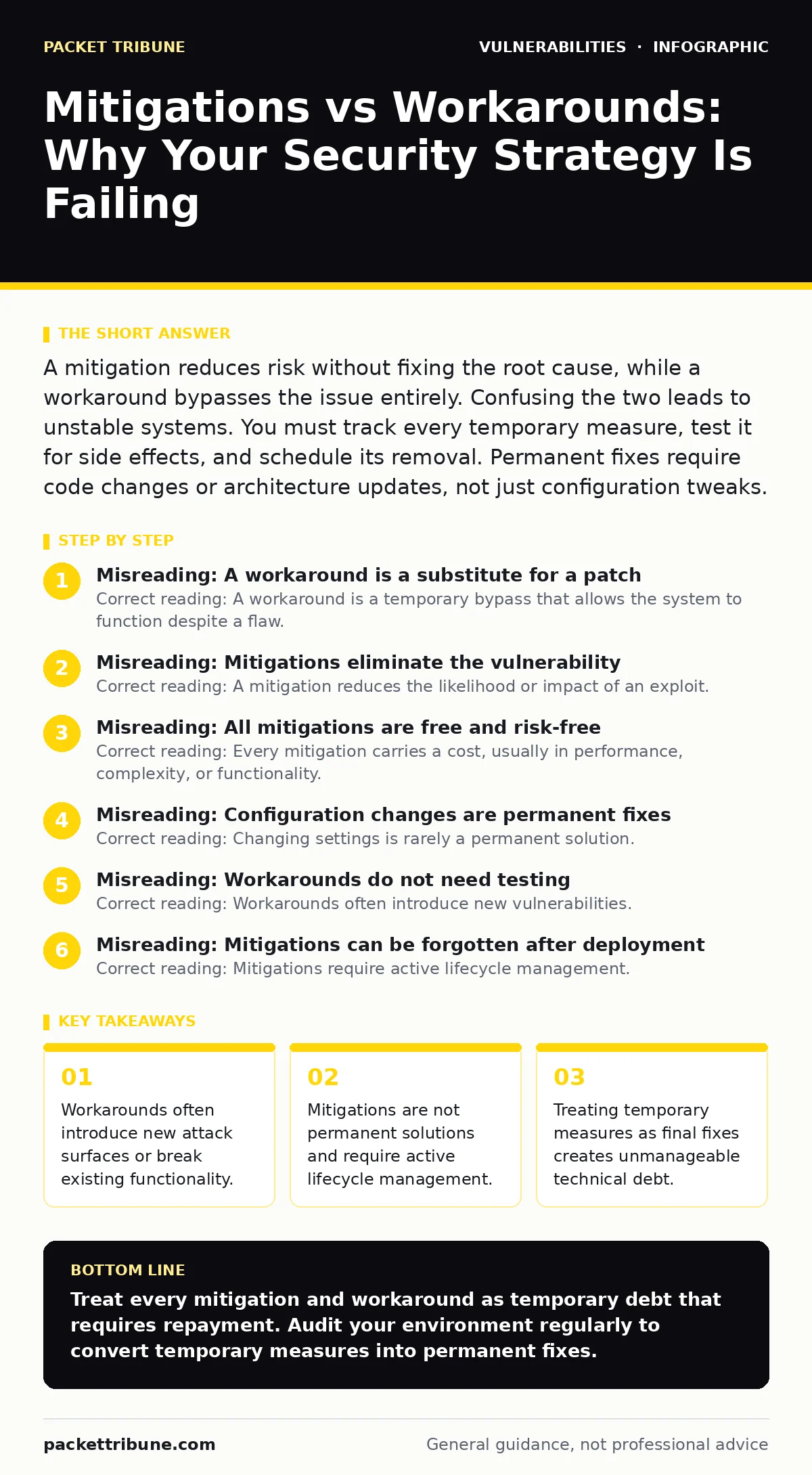
A mitigation reduces risk without fixing the root cause, while a workaround bypasses the issue entirely. Confusing the two leads to unstable systems. You must track every temporary measure, test it for side effects, and schedule its removal. Permanent fixes require code changes or architecture updates, not just configuration tweaks.
Misreading: A workaround is a substitute for a patch
Correct reading: A workaround is a temporary bypass that allows the system to function despite a flaw. It does not repair the underlying defect. Imagine a door with a broken lock. Taping the door shut is a workaround. Replacing the cylinder is the patch. Taping the door shut prevents entry but also prevents exit in an emergency. In software, disabling a feature to stop an exploit is a workaround. It removes the functionality for all users, not just attackers. This creates a trade-off between security and usability. You must document the workaround and set a deadline for applying the real patch.
Misreading: Mitigations eliminate the vulnerability
Correct reading: A mitigation reduces the likelihood or impact of an exploit. It does not remove the vulnerability itself. Suppose you install a firewall rule to block traffic to a vulnerable port. The software still contains the bug. If an attacker finds another entry point, the bug remains exploitable. This is known as defence in depth.
It adds layers of protection but does not cure the disease. Many teams believe that adding a Web Application Firewall (WAF) means they do not need to update their application code. This is false. The WAF filters known attack patterns, but zero-day exploits may bypass it. You must still plan for dependency updates to fix the code.
Misreading: All mitigations are free and risk-free
Correct reading: Every mitigation carries a cost, usually in performance, complexity, or functionality. Enabling strict Transport Security (HSTS) prevents downgrade attacks. However, it can break legacy systems that do not support modern encryption. Forcing TLS 1.3 might disconnect older IoT devices. These devices may then fall back to insecure protocols or stop working entirely.
You must test mitigations in a staging environment before production deployment. Check how the change affects authentication flows and data integrity. A mitigation that breaks business continuity is worse than the vulnerability it addresses. See our guide on backported security fixes for how vendors handle these trade-offs in legacy systems.
Misreading: Configuration changes are permanent fixes
Correct reading: Changing settings is rarely a permanent solution. It is usually a mitigation. Suppose you disable remote login to stop a brute-force attack. This is a configuration change. It mitigates the risk but does not fix the weak authentication mechanism. If an insider threat exists, they still have local access. If you re-enable remote login later, the risk returns. True fixes involve changing the code logic or the architecture. Relying on configuration alone creates a fragile state. One accidental revert or misconfiguration restores the risk. You must treat configuration hardening as a temporary measure while you develop a proper code fix.
Misreading: Workarounds do not need testing
Correct reading: Workarounds often introduce new vulnerabilities. Imagine you disable a security feature to stop a false positive alert. You may inadvertently expose the system to a different attack vector. For example, turning off input validation to fix a bug might allow NoSQL injection or command injection.
Workarounds bypass standard safety checks. This creates a hidden risk that is hard to detect. You must test workarounds with the same rigour as patches. Use static analysis and dynamic testing to ensure the bypass does not create a larger hole. Document the specific risk the workaround introduces. This allows you to weigh the immediate gain against the new exposure.
See also: CVE Numbering Authorities Explained: How Vulnerability IDs Are Assigned · Emergency Patching: How to Fix Critical Flaws Without Breaking Production
Misreading: Mitigations can be forgotten after deployment
Correct reading: Mitigations require active lifecycle management. They are not "set and forget" controls. Suppose you implement rate limiting to stop an API abuse attack. This is a mitigation. If you leave it in place indefinitely, it may hinder legitimate high-volume users. Or, attackers may adapt to the rate limit by using distributed requests. You must review mitigations regularly.
Check if the original vulnerability has been patched. If yes, remove the mitigation. If no, assess if the mitigation is still effective. This process prevents technical debt from accumulating. Unmanaged mitigations clutter your security posture and make incident response slower. Refer to our section on API vulnerabilities for specific rate-limiting strategies.
Misreading: Vendor statements guarantee safety
Correct reading: Vendor advisories often suggest mitigations that are not sufficient for all environments. A vendor may say "disable the feature" as a workaround. This may not be acceptable for your business model. You must validate the advice against your specific architecture. Sometimes, the vendor's mitigation is outdated or incorrect for your version. Always cross-reference with independent security research. Do not rely solely on vendor guidance. Implement your own testing to verify the mitigation works in your context. This is especially critical for router vulnerabilities where firmware updates may be delayed or unavailable.
How to check your understanding
Correct reading: Review your current incident response plans. Look for steps that involve configuration changes or feature disabling. Ask yourself: "Is this a temporary measure or a permanent fix?" If it is temporary, is there a ticket to remove it? If it is permanent, does it address the root cause? If you cannot answer these questions, you are likely misreading your security posture. Conduct a workshop with your engineering and security teams. Map out all active mitigations. Identify which ones are workarounds. Create a plan to convert them into proper patches or remove them. This exercise reveals hidden risks and improves your overall resilience.
Key takeaways
- Workarounds often introduce new attack surfaces or break existing functionality.
- Mitigations are not permanent solutions and require active lifecycle management.
- Treating temporary measures as final fixes creates unmanageable technical debt.
Treat every mitigation and workaround as temporary debt that requires repayment. Audit your environment regularly to convert temporary measures into permanent fixes.
Frequently asked questions
How long should a workaround remain in place?
Workarounds should be removed as soon as a permanent patch is available. If no patch exists, review the workaround monthly to ensure it remains effective and does not introduce new risks.
Can a mitigation become a permanent control?
Yes, if the vulnerability cannot be fixed due to legacy constraints. In this case, the mitigation must be formally accepted as a residual risk and monitored continuously for effectiveness.
What is the difference between a patch and a hotfix?
A patch is a tested, general release that fixes a vulnerability. A hotfix is an emergency, often untested, update for a critical issue. Hotfixes carry higher risk of instability and should be replaced by proper patches quickly.
How do I track mitigations in my SIEM?
Create custom alerts for the specific configurations associated with your mitigations. Monitor for changes to these settings to ensure the mitigation remains active and has not been accidentally disabled.
How this guide was produced: written by the Packet Tribune editorial team with AI assistance, checked against the public references listed below, and reviewed when the facts change. See our editorial policy or report an error.