Device Hardening Mechanics: How Restrictions Block Malware
Device hardening works by reducing the attack surface, forcing malware to fail when it cannot access the privileges it requires to execute.

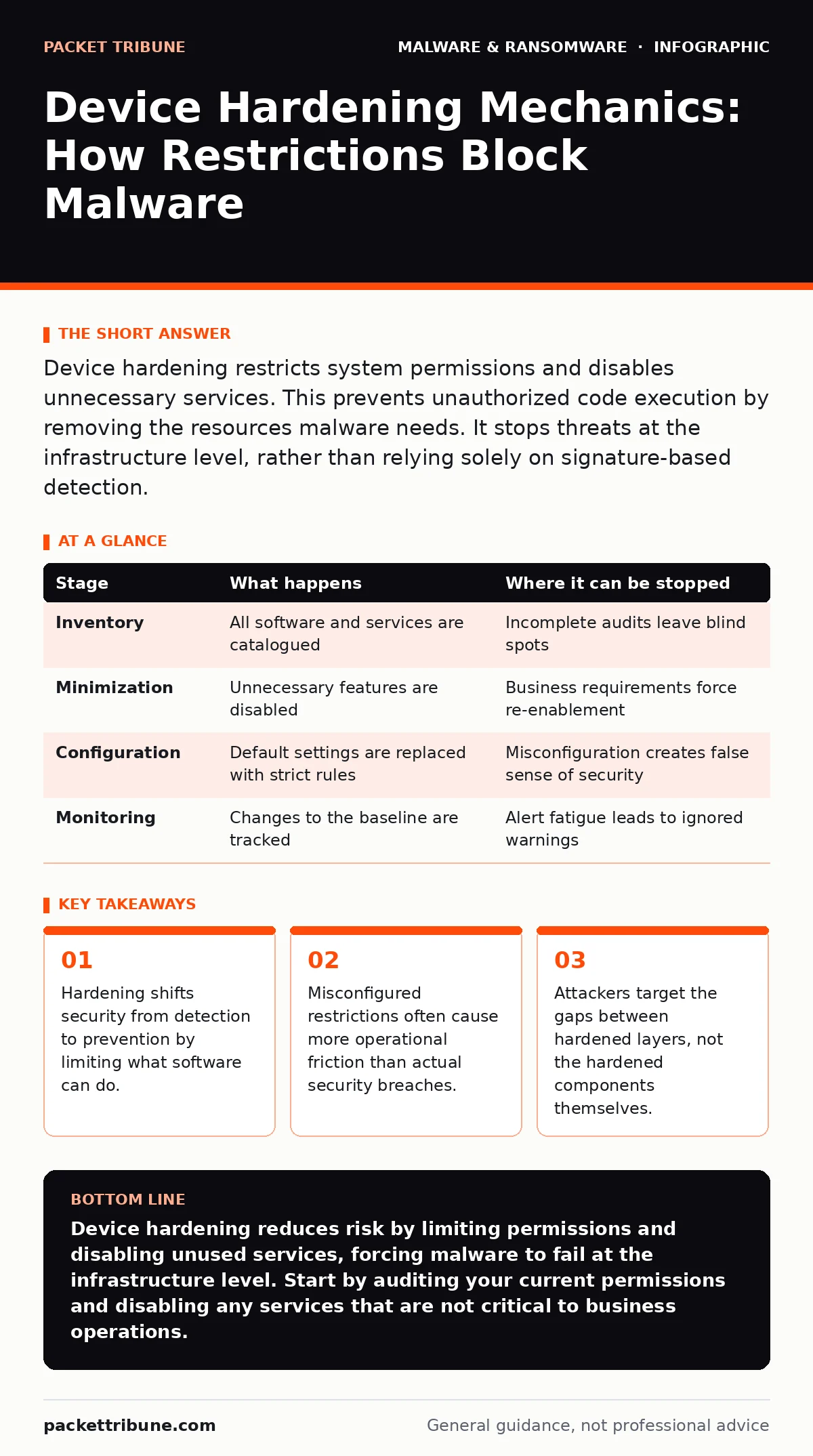
Device hardening restricts system permissions and disables unnecessary services. This prevents unauthorized code execution by removing the resources malware needs. It stops threats at the infrastructure level, rather than relying solely on signature-based detection.
The Architecture of Restriction
Device hardening is not a single product. It is a systematic reduction of the attack surface. The goal is to ensure that every component of the device runs with the minimum privileges necessary for its function. This approach assumes that compromise is inevitable. It aims to limit the damage.
Most users view security as a wall. Hardening is better understood as a series of gates. Each gate checks for specific permissions. If the request lacks the correct credentials, it is denied. This happens before the application even loads.
This method differs from traditional antivirus. Antivirus scans for known bad patterns. Hardening denies unknown actions that violate policy. You are not looking for the wolf. You are locking the sheep pen.
Implementation Stages
The process follows a logical sequence. Each stage reduces the number of potential entry points.
Stage 1: Inventory and Baseline
You must know what is on the device before you can secure it. This involves cataloguing every installed application, service, and driver. Any component that does not serve a business purpose is a liability.
Imagine a server running a legacy database driver. It consumes memory and listens for connections. If an attacker finds a flaw in that driver, they gain access. Removing the driver removes the vector.
| Stage | What happens | Where it can be stopped |
|---|---|---|
| Inventory | All software and services are catalogued | Incomplete audits leave blind spots |
| Minimization | Unnecessary features are disabled | Business requirements force re-enablement |
| Configuration | Default settings are replaced with strict rules | Misconfiguration creates false sense of security |
| Monitoring | Changes to the baseline are tracked | Alert fatigue leads to ignored warnings |
Stage 2: Principle of Least Privilege
This is the core mechanism. Users and processes are granted only the permissions they need. Administrative rights are removed from standard accounts. Service accounts cannot interact with the desktop.
When a process needs to write to a folder, it requests permission. The operating system checks the policy. If the policy says no, the process fails. This breaks the chain of execution for many malware types.
Stage 3: Service Minimization
Operating systems run many background services. Many are enabled by default but rarely used. Each service is a potential entry point. Disabling unused services reduces the code footprint.
Attackers often exploit vulnerabilities in these background processes. If the service is not running, the vulnerability cannot be triggered. This is a passive form of defence. It requires no active monitoring.
The Hidden Costs of Rigidity
Hardening introduces friction. Users may find that legitimate applications fail to run. This happens when an application requires a permission that the policy denies. The result is a support ticket, not a breach.
CISOs often underestimate this cost. They focus on the security benefit. They forget the operational impact. A hardened device that prevents work is not a secure device. It is a broken one.
This is where the balance becomes difficult. You must tune the policies. You must allow exceptions for critical business tools. Each exception widens the attack surface. You are trading security for usability.
The Limits of Static Defences
Hardening is static. It relies on pre-defined rules. It does not adapt to new behaviour. If an attacker finds a way to use allowed permissions maliciously, hardening will not stop them.
This is why behavior-based detection remains necessary. Hardening blocks the easy paths. Sophisticated threats may find the open door. They may use legitimate tools to perform malicious actions. This is often seen in fileless malware, which lives in memory and avoids touching the disk.
Integration with Broader Security
Hardening works best when combined with other layers. It provides a foundation. Other systems build upon it. For instance, extended detection and response (XDR) can use the reduced noise from hardening to focus on true anomalies.
If a device is hardened, fewer alerts are generated. This allows analysts to focus on complex threats. It improves the signal-to-noise ratio. The hardening layer acts as a filter.
However, hardening cannot stop all attacks. Malware obfuscation techniques may allow code to bypass initial checks. Static malware analysis might miss the true intent of a binary. Hardening prevents the binary from running with high privileges, but it does not always prevent initial execution.
See also: Screen Locker Ransomware Mechanics: How It Bypasses OS Controls · Browser Isolation: Definition, Purpose and Architecture Explained
The Maintenance Burden
Hardening is not a one-time task. It requires continuous maintenance. Software updates change permissions. New applications require new rules. If you do not update your policies, they become ineffective.
Many organisations set hardening and forget it. This leads to drift. The baseline no longer matches the reality. The device becomes less secure over time. You must treat hardening as a living process.
This is the hidden cost. It requires resources. You need tools to monitor changes. You need staff to review alerts. The initial setup is easy. The long-term maintenance is difficult.
Final Considerations
Device hardening is a fundamental security control. It reduces the attack surface. It forces attackers to work harder. It prevents many common attacks.
But it is not a silver bullet. It requires careful tuning. It causes operational friction. It must be combined with other security measures.
Key takeaways
- Hardening shifts security from detection to prevention by limiting what software can do.
- Misconfigured restrictions often cause more operational friction than actual security breaches.
- Attackers target the gaps between hardened layers, not the hardened components themselves.
Device hardening reduces risk by limiting permissions and disabling unused services, forcing malware to fail at the infrastructure level. Start by auditing your current permissions and disabling any services that are not critical to business operations.
Frequently asked questions
How does device hardening differ from endpoint protection?
Endpoint protection scans for known threats and suspicious behaviour. Device hardening restricts the system itself, preventing unauthorized actions regardless of whether the threat is known.
Can device hardening stop ransomware?
It can prevent ransomware from encrypting files by restricting write permissions to critical directories. It does not prevent the initial infection, but it limits the damage.
Is device hardening suitable for mobile devices?
Yes. Mobile operating systems already use sandboxing and permission models. Hardening involves enforcing strict app permissions and disabling unnecessary services like Bluetooth or location tracking.
How often should I review my hardening policies?
Review policies after any major software update or new application deployment. Quarterly reviews are recommended to catch drift and ensure policies remain effective without causing unnecessary friction.
How this guide was produced: written by the Packet Tribune editorial team with AI assistance, checked against the public references listed below, and reviewed when the facts change. See our editorial policy or report an error.