Implement Secrets Managers: A Step-by-Step Rollout Plan
Centralising credentials exposes a single point of failure that requires stricter access controls and audit trails than scattered configuration files ever did.

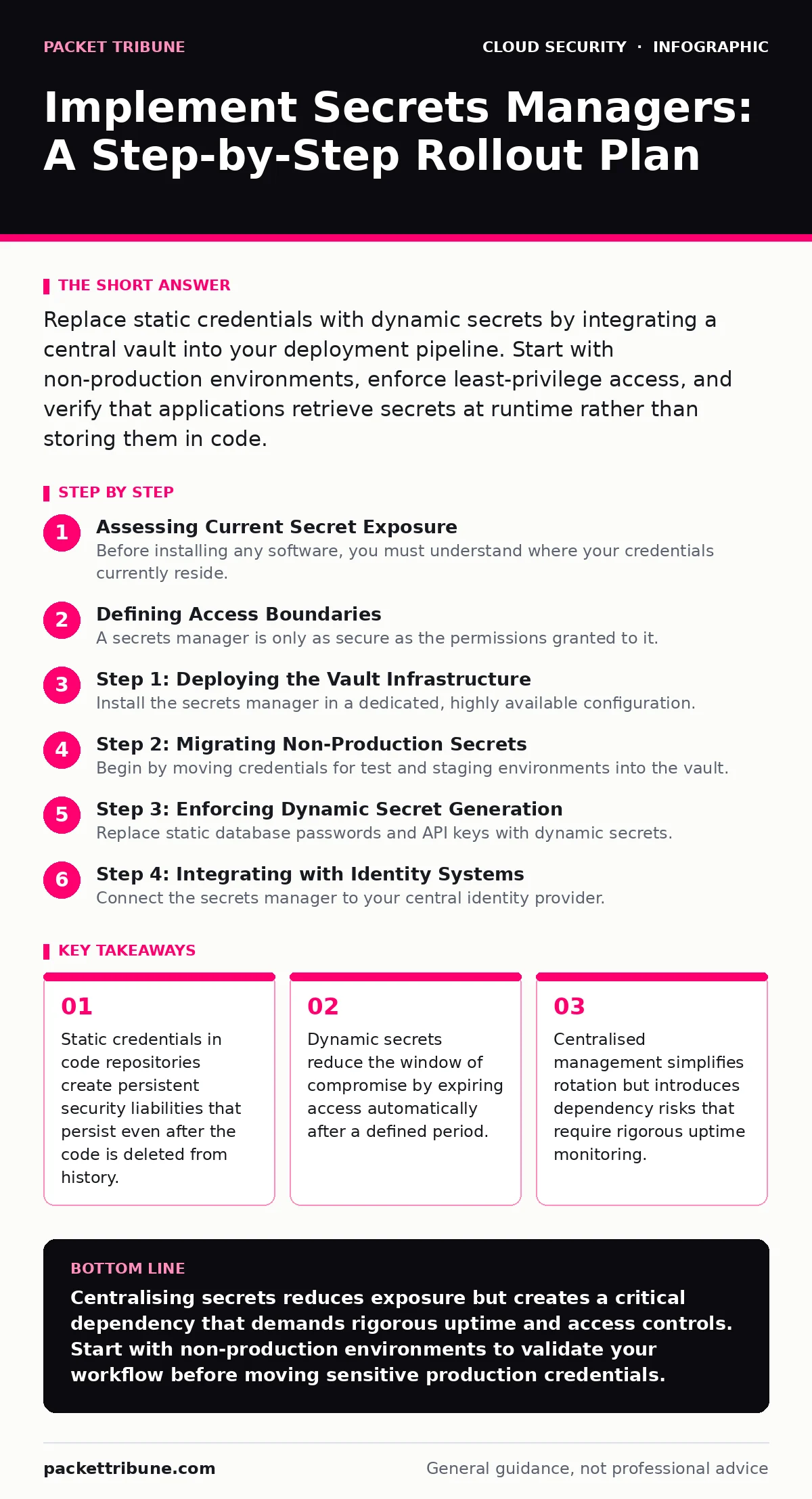
Replace static credentials with dynamic secrets by integrating a central vault into your deployment pipeline. Start with non-production environments, enforce least-privilege access, and verify that applications retrieve secrets at runtime rather than storing them in code.
Assessing Current Secret Exposure
Before installing any software, you must understand where your credentials currently reside. Most organisations discover that secrets are hidden in plain sight within configuration files, environment variables, and version control history. This exposure creates a persistent risk because revoking a leaked credential requires hunting down every instance where it was copied.
You need to map the flow of data from creation to consumption. Identify which services generate credentials, which applications consume them, and how they are transmitted. This mapping reveals the attack surface and highlights where interception is most likely.
Defining Access Boundaries
A secrets manager is only as secure as the permissions granted to it. You must define strict boundaries for who can read, write, or administer the vault. The principle of least privilege applies here more strictly than elsewhere because the vault holds the keys to your entire infrastructure.
Avoid granting broad read access to development teams. Instead, tie access to specific roles and short-lived tokens. This ensures that a compromised developer account cannot sweep the vault for high-value credentials.
Step 1: Deploying the Vault Infrastructure
Install the secrets manager in a dedicated, highly available configuration. The vault must be resilient to outages because applications depend on it for startup. If the vault is down, your services cannot authenticate, leading to widespread downtime.
Configure the vault to use hardware security modules or cloud-based key management for its own root keys. This separation ensures that the data stored within the vault remains encrypted even if the vault server is compromised. Verify that the vault is accessible only through authenticated connections from approved network segments.
Step 2: Migrating Non-Production Secrets
Begin by moving credentials for test and staging environments into the vault. This low-risk migration allows your engineering teams to adapt to the new workflow without impacting revenue-generating services. Update deployment scripts to request secrets from the vault at runtime rather than injecting them as static environment variables.
Check that applications can start successfully using the new retrieval method. Monitor the vault logs to ensure that requests are coming from the expected sources and that denied access attempts are recorded. This phase validates your integration logic before touching production systems.
Step 3: Enforcing Dynamic Secret Generation
Replace static database passwords and API keys with dynamic secrets. These are generated on demand by the vault and expire after a short period, such as one hour. This mechanism eliminates the need for manual rotation schedules and reduces the impact of a leaked credential.
Configure your applications to handle secret expiration gracefully. They must request new credentials before the current ones expire. If an application fails to renew a secret, it should fail safely without exposing the old credentials in logs or error messages.
See also: Prevent Public File Share Exposure With This Technical Checklist · DevSecOps vs SecDevOps: Why the Syntax Defines Your Security Posture
Step 4: Integrating with Identity Systems
Connect the secrets manager to your central identity provider. This integration allows the vault to understand the context of each request. It can then apply policies based on the user, role, or service identity making the request.
Use federated identity practices to ensure that external services can authenticate without storing long-lived credentials in the vault. This approach reduces the total number of static secrets and simplifies the management of third-party access.
Step 5: Production Rollout and Verification
Move production credentials into the vault only after the non-production rollout is stable. Update production deployment pipelines to pull secrets at runtime. Disable any static credential injection methods simultaneously to prevent accidental reuse.
Verify that all services are functioning correctly. Monitor performance metrics to ensure that the additional latency of fetching secrets does not degrade user experience. Check that audit logs capture every access attempt with sufficient detail for forensic analysis.
Verification Checklist
- All static credentials have been removed from version control history.
- Applications retrieve secrets at runtime rather than at build time.
- Dynamic secrets are configured for all database connections.
- Access policies enforce least privilege for all roles.
- Audit logs are forwarded to a secure, immutable storage system.
- Failover tests confirm service continuity during vault outages.
Upkeep and Rotation Strategies
Maintaining a secrets manager requires ongoing effort. You must regularly review access policies to ensure they remain aligned with current roles and responsibilities. Identity sprawl can lead to unused accounts retaining access to critical secrets, increasing the risk of insider threats.
Automate the rotation of any remaining static secrets. Even with dynamic secrets, some third-party integrations may require static keys. These must be rotated on a strict schedule and monitored for unusual access patterns.
Handling Edge Cases and Failures
Imagine a scenario where the secrets manager becomes unreachable during a major incident. Your applications must have a fallback mechanism that fails securely. This could mean shutting down gracefully or using cached credentials with a very short expiry, though the latter carries risk.
Regularly test these failure modes to ensure your team knows how to respond. Document the procedures for emergency access to the vault. Ensure that these procedures are known only to a small, trusted group of administrators.
Key takeaways
- Static credentials in code repositories create persistent security liabilities that persist even after the code is deleted from history.
- Dynamic secrets reduce the window of compromise by expiring access automatically after a defined period.
- Centralised management simplifies rotation but introduces dependency risks that require rigorous uptime monitoring.
Centralising secrets reduces exposure but creates a critical dependency that demands rigorous uptime and access controls. Start with non-production environments to validate your workflow before moving sensitive production credentials.
Frequently asked questions
Do secrets managers protect against insider threats?
They reduce the risk by limiting access and logging all activity, but they cannot prevent a authorised user from accessing secrets they are permitted to see.
Can I use a secrets manager for Kubernetes workloads?
Yes, but you must ensure that the integration does not introduce Kubernetes misconfigurations that could expose the vault credentials to pods.
How do I handle secrets for third-party SaaS applications?
Store the API keys in the vault and rotate them regularly. Use dynamic secrets where the provider supports it to minimise the window of exposure.
What happens if the secrets manager goes down?
Applications that depend on it will fail to start or authenticate. You must design your architecture to handle this failure gracefully, often by failing closed.
How this guide was produced: written by the Packet Tribune editorial team with AI assistance, checked against the public references listed below, and reviewed when the facts change. See our editorial policy or report an error.