Credential Leaks: Risks and Protection for Small Businesses
Small firms face disproportionate risk from credential leaks because attackers automate attacks against weak entry points that cost almost nothing to secure.

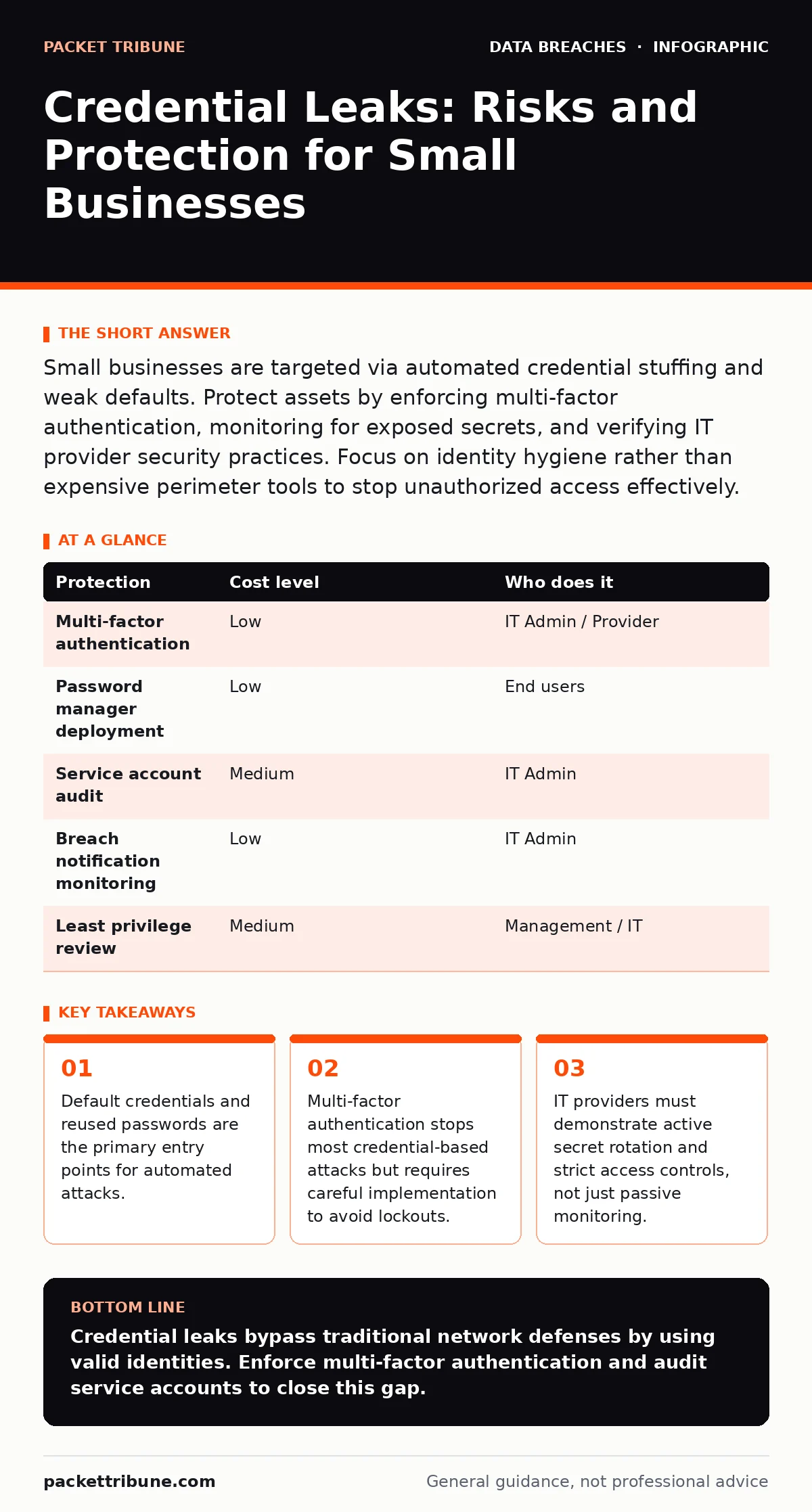
Small businesses are targeted via automated credential stuffing and weak defaults. Protect assets by enforcing multi-factor authentication, monitoring for exposed secrets, and verifying IT provider security practices. Focus on identity hygiene rather than expensive perimeter tools to stop unauthorized access effectively.
The Mechanics of Automated Access
Small organisations are exposed not because they lack budget, but because they lack scale. Large enterprises have dedicated security teams to monitor logs and rotate keys. Small teams often rely on shared accounts or default settings to save time. This creates a predictable pattern for attackers.
Attackers use automated tools to test millions of username and password combinations against common services. This process, known as credential stuffing, relies on the fact that many users reuse passwords across personal and professional accounts. If a small business allows personal email accounts for business use, or if employees reuse passwords, the organisation becomes a low-hanging fruit.
The risk is not just direct theft. Once an attacker has valid credentials, they appear as a legitimate user to the system. Standard firewalls and intrusion detection systems often allow this traffic because it looks like normal business activity. This makes credential leaks one of the hardest vectors to detect without specific identity monitoring.
The Hidden Cost of Shared Accounts
A common practice in small teams is sharing a single administrative account to avoid managing multiple logins. This seems efficient until one employee leaves or changes roles. The account remains active, and the new owner has no record of what actions were taken previously.
This practice violates the principle of least privilege. This principle states that users should only have the access rights necessary to perform their job functions. Shared accounts grant broad access to everyone who knows the password, increasing the blast radius of a leak.
If that shared password is leaked, every system it accesses is compromised. You cannot trace which user performed a specific action, making forensic analysis impossible. This ambiguity often delays incident response, allowing attackers to exfiltrate data or install persistent backdoors before detection.
Low-Cost Identity Protections
You do need expensive hardware to secure identities. The most effective controls are configuration changes and policy enforcement. These measures reduce the attack surface significantly without requiring major capital expenditure.
Multi-factor authentication is the single most effective control. It requires a second form of verification, such as a code from a mobile app or a hardware token, in addition to the password. Even if an attacker steals the password, they cannot log in without the second factor.
| Protection | Cost level | Who does it |
|---|---|---|
| Multi-factor authentication | Low | IT Admin / Provider |
| Password manager deployment | Low | End users |
| Service account audit | Medium | IT Admin |
| Breach notification monitoring | Low | IT Admin |
| Least privilege review | Medium | Management / IT |
Password managers help users generate and store unique, complex passwords for every service. This eliminates the need to remember multiple strings, reducing the temptation to reuse them. While this adds a step to the login process, it prevents the cascade of failures caused by a single leaked password.
Secrets in Code and Configuration
Credentials are not just in password databases. They often appear in configuration files, scripts, and version control repositories. Developers may accidentally commit API keys or database passwords to public code repositories. This is a form of accidental data disclosure that is easy to miss.
Automated scanners constantly search public code repositories for known secret patterns. If a developer pushes code containing a live API key, attackers can find and use it within minutes. This exposure often leads to unauthorized access to cloud storage or billing systems.
Regular auditing of code repositories is necessary. You must scan for hardcoded secrets and remove them immediately. Replace them with references to a secure vault or environment variables that are not stored in the code itself. This practice is part of broader encryption key management, ensuring that sensitive values are never static in plain text.
What to Ask an IT Provider
If you outsource IT support, you must verify their security practices. A provider who manages your servers and accounts becomes a trusted entity. If their practices are weak, they become a direct risk to your infrastructure.
Ask specific questions about how they handle access and secrets. Do not accept vague assurances about "best practices." You need to know the mechanics of their security.
- How do you store and rotate administrative credentials for client systems?
- Do you use a privileged access management solution to log and control admin actions?
- What is your process for detecting and responding to compromised credentials?
- How do you enforce multi-factor authentication for your own staff accessing client data?
- Can you provide evidence of regular access reviews for service accounts?
See also: Cloud migration security strategy: secure data in transit and at rest · Federated Identity Mistakes: Six Config Errors That Break Security
The Limits of Monitoring
Monitoring tools can alert you to suspicious login attempts, but they cannot stop a valid credential from being used. If an attacker has the correct password and multi-factor token, the login is legitimate. This is why identity protection is distinct from network security.
You must distinguish between failed login attempts and successful ones. A flood of failed attempts indicates a brute-force attack. A single successful login from an unusual location or at an odd hour may indicate a compromised account. Context matters.
Implementing user and entity behaviour analytics can help, but this is often complex for small teams. A simpler approach is to regularly review active sessions and revoke unnecessary access. This reduces the window of opportunity for attackers who have gained initial entry.
Maintaining Long-Term Hygiene
Security is not a one-time setup. It requires ongoing maintenance. Passwords expire, employees leave, and services change. Your security posture degrades if you do not actively manage these changes.
Regularly review user accounts. Remove access for former employees immediately. This is often overlooked in small businesses where offboarding processes are informal. Delayed removal is a common cause of data breaches and unauthorized access.
Update your incident response plan to include identity compromise. Define the steps to take if a credential is leaked. This includes forcing password resets, revoking tokens, and checking for data exfiltration. Preparation reduces panic and ensures a swift response.
Consider the broader implications of data loss. If personally identifiable information is exposed, you may have legal obligations to notify affected individuals. Understanding these requirements beforehand helps you manage the fallout effectively.
Key takeaways
- Default credentials and reused passwords are the primary entry points for automated attacks.
- Multi-factor authentication stops most credential-based attacks but requires careful implementation to avoid lockouts.
- IT providers must demonstrate active secret rotation and strict access controls, not just passive monitoring.
Credential leaks bypass traditional network defenses by using valid identities. Enforce multi-factor authentication and audit service accounts to close this gap.
Frequently asked questions
Does multi-factor authentication stop all credential attacks?
No, it stops most, but not all. Phishing attacks can sometimes trick users into revealing their second factor. Hardware tokens offer better protection than apps or SMS.
How often should I change passwords?
Change passwords immediately if there is suspicion of a leak. Regular forced changes can lead to weaker passwords. Focus on unique, complex passwords and MFA instead.
What is the difference between a password manager and a vault?
A password manager helps users store login credentials. A vault is a secure system for storing sensitive data like API keys and certificates, often used by developers and servers.
Can I use my IT provider for security monitoring?
Yes, but verify their capabilities. Ensure they actively monitor identity logs and have a clear process for responding to suspicious activity, not just server uptime.
How this guide was produced: written by the Packet Tribune editorial team with AI assistance, checked against the public references listed below, and reviewed when the facts change. See our editorial policy or report an error.