Asset Management List: How to Build and Maintain Accurate Records
Most organisations lose track of software licences and shadow IT because their inventory methods ignore the dynamic nature of cloud services and temporary endpoints.
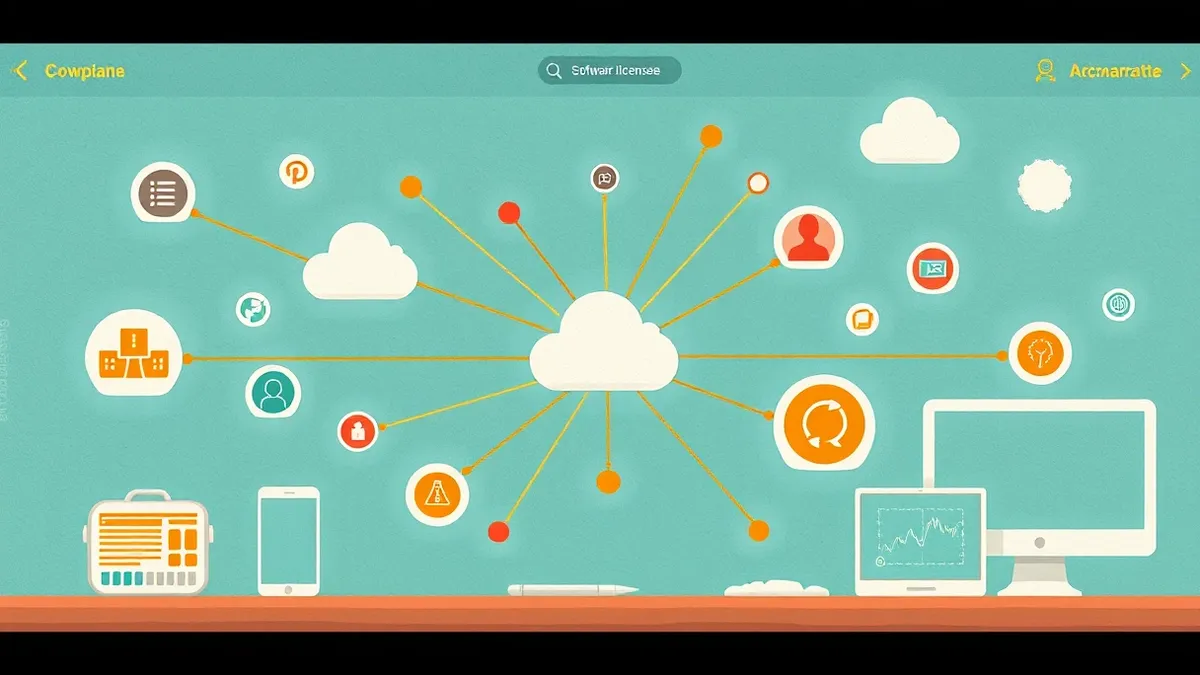
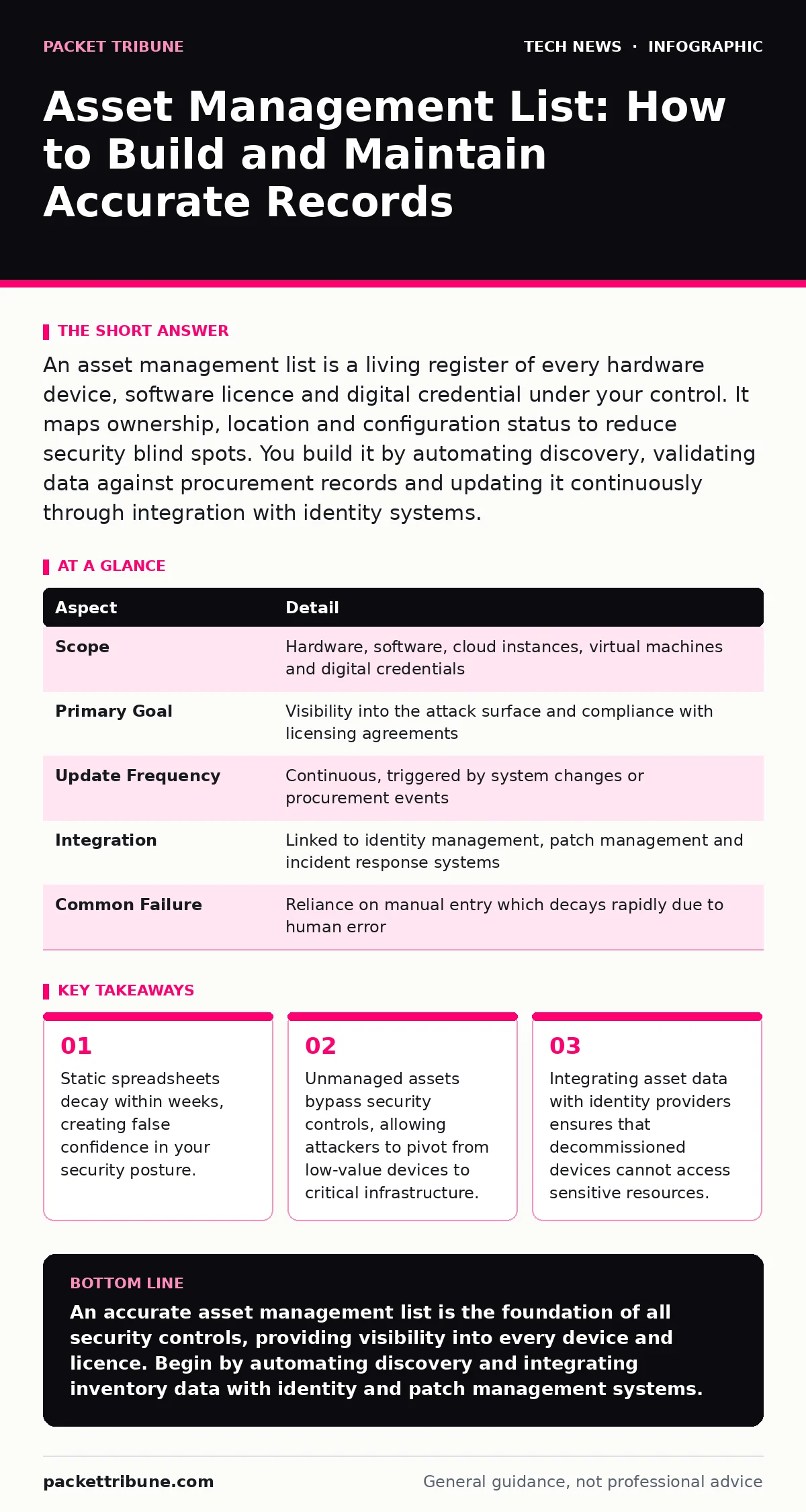
An asset management list is a living register of every hardware device, software licence and digital credential under your control. It maps ownership, location and configuration status to reduce security blind spots. You build it by automating discovery, validating data against procurement records and updating it continuously through integration with identity systems.
The Coffee Cup Analogy
Imagine a large office kitchen where everyone leaves their coffee cups in the sink. Over time, the sink becomes full. You cannot tell whose cup is whose, whether the cups are clean or cracked, or if any contain hazardous chemicals. An asset management list is the label on every cup. It tells you who owns the device, when it was last cleaned (patched), and whether it should still be in the kitchen (connected to the network). Without labels, you are guessing. Guessing creates risk.
What Is an Asset Management List?
An asset management list is a centralised inventory of all tangible and intangible technology resources within an organisation. It goes beyond simple hardware counts to include software licences, virtual machines, cloud instances and digital certificates. This register serves as the single source of truth for security and operational teams. It answers three fundamental questions: what do you own, where is it, and who is responsible for it. Accurate records allow you to enforce security policies consistently. Inaccurate records leave gaps that attackers exploit.
| Aspect | Detail |
|---|---|
| Scope | Hardware, software, cloud instances, virtual machines and digital credentials |
| Primary Goal | Visibility into the attack surface and compliance with licensing agreements |
| Update Frequency | Continuous, triggered by system changes or procurement events |
| Integration | Linked to identity management, patch management and incident response systems |
| Common Failure | Reliance on manual entry which decays rapidly due to human error |
How Inventory Systems Work
Modern inventory systems do not rely on manual data entry. They use automated discovery agents installed on endpoints or passive network scanners that listen for device handshakes. These tools collect hardware identifiers, operating system versions and installed software lists. The data flows into a central database where it is normalised and deduplicated.
For example, a single laptop may appear as a physical device, a domain-joined computer and a cloud-synced user profile. The system merges these records into one asset entry. This process requires constant validation. If a device is wiped and reassigned, the old data must be purged and the new owner recorded. Failure to update this linkage creates a "ghost asset" that appears secure but is actually unmanaged.
Who Is Affected by Poor Inventory
Poor inventory affects security teams, finance departments and operations managers. Security engineers cannot patch devices they do not know exist. This leaves unpatched vulnerabilities open to exploitation. Finance teams overpay for software licences they do not use or underpay for compliance penalties. Operations managers struggle to replace broken equipment because they cannot locate the spare units. The impact extends to legal compliance. Regulations often require proof of data handling controls. If you cannot prove which devices hold customer data, you cannot prove compliance. This uncertainty increases liability during audits or breaches.
What People Usually Get Wrong
Many organisations treat the asset management list as a static document. They build it once, perhaps during a major audit, and then update it quarterly. This approach fails because technology environments change daily. New cloud instances are spun up for testing and forgotten. Employees join and leave, taking devices with them. Software updates modify configurations. A static list becomes inaccurate within weeks.
Another common error is focusing only on corporate-owned hardware. Personal devices used for work, known as shadow IT, often hold more sensitive data than corporate laptops. Ignoring these devices creates a massive blind spot. Finally, teams often separate hardware inventory from software inventory. This separation prevents correlation. You cannot assess the risk of a software vulnerability if you do not know which hardware runs that software.
See also: OAuth vs API Key: When to Use Tokens and When to Use Secrets · Different Types of Load Balancers: Architecture and Selection
Building and Maintaining the List
Start by defining the scope of your inventory. Include all devices that connect to your network, regardless of ownership. Deploy automated discovery tools across all network segments. Ensure these tools can detect cloud resources and virtual machines. Integrate the inventory system with your identity provider.
This ensures that when a user is deactivated, their associated devices are flagged for review. Establish a process for decommissioning assets. When a device is retired, it must be wiped, physically destroyed or securely stored, and its record updated. Regularly audit the inventory against procurement records. Any discrepancy indicates a missing asset or a data error. Investigate these gaps immediately.
Integrating with Security Controls
An isolated inventory is useless. It must feed into other security systems. Integrate with patch management to ensure all known assets receive updates. Integrate with endpoint detection and response to correlate alerts with asset criticality. A critical server alert requires a faster response than a guest Wi-Fi device. Consider how this inventory supports printer security.
Printers are often overlooked but can serve as entry points for attackers. Including them in your asset management list ensures they receive firmware updates and access controls. Similarly, manage TLS certificates as assets. Expired certificates cause service outages and security warnings. Tracking their expiry dates prevents these issues.
The Role of Related Security Measures
Asset management intersects with many other security domains. For instance, code signing helps verify that software on your assets has not been tampered with. If your inventory tracks software versions, you can ensure only signed versions are allowed. Data center security relies on accurate inventory to manage physical access and environmental controls.
You cannot protect a server if you do not know which rack it is in. Load balancers distribute traffic across multiple servers. If your inventory does not track all backend servers, you may inadvertently route traffic to an unpatched or decommissioned machine. Understanding these connections ensures your security strategy is cohesive rather than fragmented.
Next Steps for Implementation
Review your current inventory methods. Identify gaps in coverage, particularly for cloud resources and mobile devices. Select tools that automate discovery and integration. Define clear processes for adding, updating and removing assets. Train staff on the importance of accurate reporting. Start with a pilot group to refine your processes before rolling out organisation-wide. Monitor the accuracy of your data regularly. Aim for near-real-time updates. This reduces the window of exposure for unmanaged assets.
Key takeaways
- Static spreadsheets decay within weeks, creating false confidence in your security posture.
- Unmanaged assets bypass security controls, allowing attackers to pivot from low-value devices to critical infrastructure.
- Integrating asset data with identity providers ensures that decommissioned devices cannot access sensitive resources.
An accurate asset management list is the foundation of all security controls, providing visibility into every device and licence. Begin by automating discovery and integrating inventory data with identity and patch management systems.
Frequently asked questions
How often should I update my asset management list?
Updates should be continuous and automated. Manual updates are too slow to keep pace with modern cloud and mobile environments, leading to significant data decay within days.
Do I need to include personal devices in the inventory?
Yes, if they access organisational data or networks. Personal devices often contain sensitive information and can serve as entry points for attackers, making visibility critical for security.
What is the difference between CMDB and asset management?
An asset management list focuses on ownership, cost and lifecycle. A CMDB focuses on relationships and dependencies between IT components. Both are valuable but serve different operational purposes.
Can network scanners detect all devices?
No, network scanners miss air-gapped systems, offline devices and those on isolated segments. Combine scanning with agent-based monitoring and physical audits for complete coverage.
How this guide was produced: written by the Packet Tribune editorial team with AI assistance, checked against the public references listed below, and reviewed when the facts change. See our editorial policy or report an error.