Insecure File Permissions Explained: How Access Controls Fail
Default system settings often grant broader access than necessary, allowing local attackers to read or modify data without exploiting software bugs.

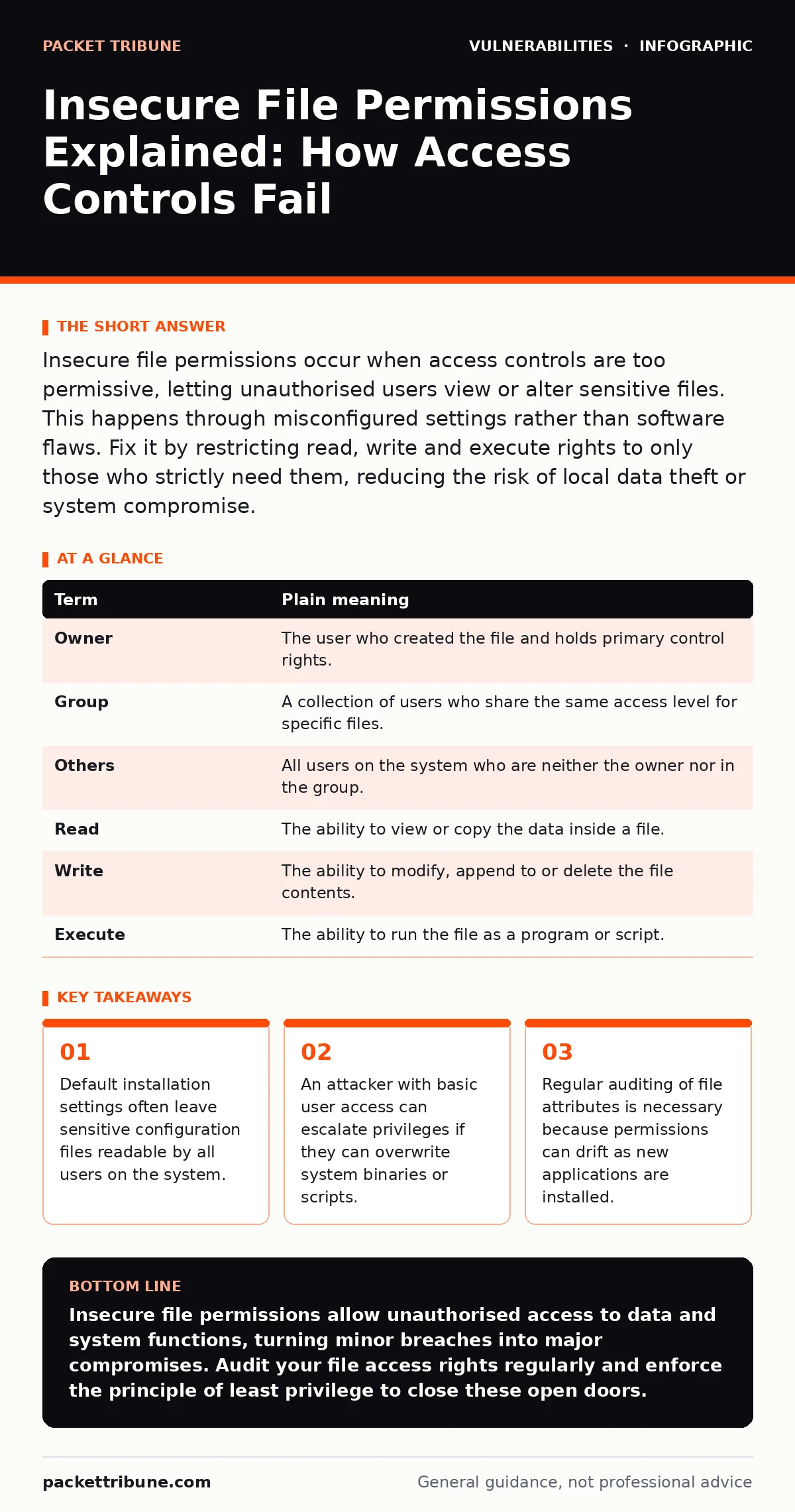
Insecure file permissions occur when access controls are too permissive, letting unauthorised users view or alter sensitive files. This happens through misconfigured settings rather than software flaws. Fix it by restricting read, write and execute rights to only those who strictly need them, reducing the risk of local data theft or system compromise.
The Office Door Analogy
Imagine a large office building where every door has a keycard reader. Secure file permissions are like setting those readers to only allow specific employees into specific rooms. Insecure file permissions are like leaving the server room door unlocked or giving the janitor a master key that opens the CEO’s safe. The building itself might have strong walls, but if the internal doors are wide open, anyone inside can wander wherever they please.
This analogy holds true for computer systems. The operating system manages who can enter which "rooms" (directories) and touch which "furniture" (files). When these rules are weak, the structural integrity of the security model collapses. You do not need to break the window to get in; you simply walk through the open door.
Key Terms for Access Control
Understanding the mechanics requires knowing the three fundamental actions an operating system allows on a file. These are read, write and execute. Read means viewing the contents. Write means changing the contents or deleting the file. Execute means running the file as a program or script. Permissions define which user or group can perform these actions.
| Term | Plain meaning |
|---|---|
| Owner | The user who created the file and holds primary control rights. |
| Group | A collection of users who share the same access level for specific files. |
| Others | All users on the system who are neither the owner nor in the group. |
| Read | The ability to view or copy the data inside a file. |
| Write | The ability to modify, append to or delete the file contents. |
| Execute | The ability to run the file as a program or script. |
Why Default Settings Fail
When you install new software, the installer often sets permissions to ensure the program works for everyone. This convenience creates risk. A configuration file might be set to "readable by others" so that different services can access it. An attacker who gains a low-level shell account can read that file. If the file contains database passwords, the attacker now has higher-level access.
This is distinct from cross-site request forgery (CSRF), which tricks users into performing unwanted actions. Insecure permissions are a static configuration error. They exist regardless of user interaction. The vulnerability is present the moment the file is created with overly broad rights. You must audit these defaults after installation, not assume the vendor secured them for your specific environment.
The Local Attack Vector
Remote attackers often struggle to bypass firewalls and network controls. Local attackers, however, are already inside. This could be a compromised service account, a malicious insider or a hacker who exploited a minor web flaw to get a basic shell. Once inside, they look for files they can read or write.
If a system log file is writable by all users, an attacker can clear their tracks by deleting or altering the logs. If a system script is writable, they can inject commands that run with higher privileges. This is a form of privilege escalation. It turns a minor breach into a full system takeover. The damage is limited only by what the attacker can read or modify locally.
Simple Safety Habits
You can reduce this risk with three concrete habits. First, use the principle of least privilege. Only grant the minimum access required for a task to function. Second, audit new installations. Check the permissions of any new files or directories created during setup. Third, separate user data from system processes. Ensure that application processes run under dedicated service accounts with restricted rights, not under the administrator account.
These habits prevent the accumulation of unnecessary access rights. Over time, systems tend to become more permissive as users add features and shortcuts. Regular review reverses this drift. It ensures that the "office doors" remain locked for those who should not enter.
See also: Prevent Public File Share Exposure With This Technical Checklist · Network Access Control Mistakes That Compromise Your Infrastructure
Try This Now
- Check the permissions of your web server’s configuration files. Ensure that only the owner and the web service group have read access. Others should have no access.
- Review the write permissions on your system’s temporary directories. Ensure that users cannot create executable files in directories shared by other users.
- Verify that log files are not writable by the public. If an attacker can write to logs, they can hide their activity and disrupt monitoring tools.
The Hidden Cost of Convenience
Many administrators leave permissions open to avoid troubleshooting access errors. They assume that if a file is readable by all, no service will fail to start. This convenience comes at a high security cost. It removes the boundary between user data and system data. An attacker does not need to exploit a complex business logic flaw if they can simply read the source code or configuration files directly from the disk.
This risk is often overlooked because it does not involve remote network traffic. It is a local issue. However, local access is frequently the starting point for lateral movement. Once an attacker has read access to sensitive files, they can use that information to target other systems. The initial breach is small, but the consequence is large.
Maintaining Strict Controls
Permissions are not static. New employees, new applications and new scripts change the landscape. A file that was secure last year may be exposed today because a new service requires access. You must treat permissions as a living configuration. Regular audits are necessary to catch drift.
Consider how dependency updates might introduce new files with default permissions. If you update a library, check the permissions of the new files it installs. Do not assume the update process preserves your security settings. Manual verification is often required. This diligence prevents the slow erosion of your security posture.
Insecure file permissions are a silent risk. They do not announce themselves with error messages. They wait for someone to look inside. By tightening access controls, you close the open doors in your digital office. This simple measure significantly reduces the impact of local breaches and limits the attacker’s ability to escalate privileges.
Key takeaways
- Default installation settings often leave sensitive configuration files readable by all users on the system.
- An attacker with basic user access can escalate privileges if they can overwrite system binaries or scripts.
- Regular auditing of file attributes is necessary because permissions can drift as new applications are installed.
Insecure file permissions allow unauthorised access to data and system functions, turning minor breaches into major compromises. Audit your file access rights regularly and enforce the principle of least privilege to close these open doors.
Frequently asked questions
How do insecure file permissions differ from other vulnerabilities?
Unlike software bugs, insecure permissions are configuration errors. They do not require a specific input to trigger but exist statically in the system settings.
Can remote attackers exploit insecure file permissions?
Only if they first gain local access. Remote attackers must bypass network controls to reach the file system. Once local, permissions determine their reach.
What is the principle of least privilege?
It is the practice of granting users and processes only the minimum access rights needed to perform their tasks, reducing the potential impact of a breach.
How often should I audit file permissions?
Audit permissions after every software installation, configuration change or new user addition. Regular automated scans help catch drift between these events.
How this guide was produced: written by the Packet Tribune editorial team with AI assistance, checked against the public references listed below, and reviewed when the facts change. See our editorial policy or report an error.